
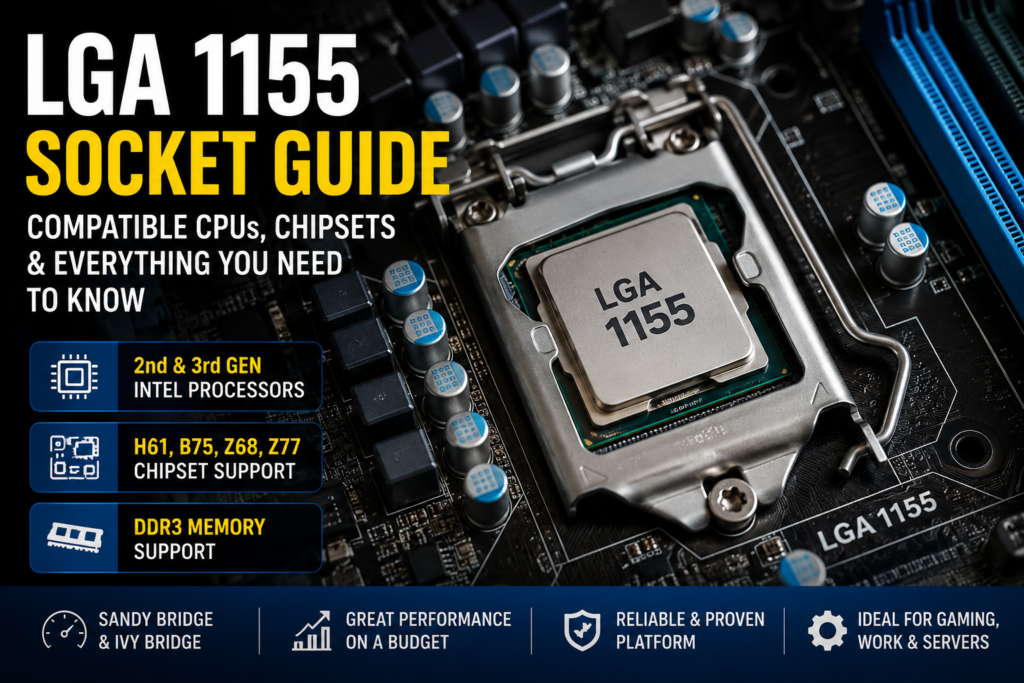
Millions of desktops built between 2011 and 2013 are still running today, and most of them use the same socket. This LGA 1155 CPU list exists because Socket H2 remains one of Intel’s most widely used legacy platforms, and a lot of people would rather upgrade an old PC than replace it outright.
This guide covers the complete CPU compatibility list, chipset support, generation differences, Xeon compatibility, and honest upgrade advice for anyone still running an LGA 1155 build in 2026.
Quick Answer — Which CPUs Work with LGA 1155?
LGA 1155 (Socket H2) offers two lines of Intel desktop processors:
- Intel 2nd Generation “Sandy Bridge” CPUs (2011)
- Intel 3rd Generation “Ivy Bridge” CPUs (2012–2013)
- Core i3, Core i5, and Core i7 desktop chips
- Pentium and Celeron budget processors
- Many Xeon E3 V1 and V2 workstation processors
The majority of Sandy Bridge boards require a BIOS update for the Ivy Bridge CPU to run properly
What Is LGA 1155?
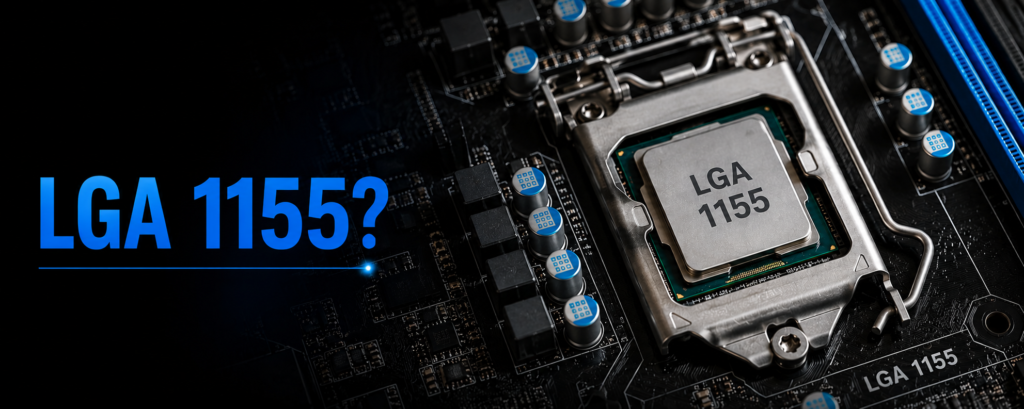
LGA 1155, also known as Socket H2, is a CPU socket designed by Intel for desktop CPUs introduced in January 2011 with the Sandy Bridge processor family. The “1155” is the number of contact pins on the socket in the motherboard that match the number of contact pins on the bottom of the CPU.
It is a socket for DDR3 memory, which usually runs at 1333 MHz or 1600 MHz, depending on the chipset and CPU. It also has a feature of supporting PCIe 2.0 with Sandy Bridge boards, and once attached to an Ivy Bridge CPU with a compatible chipset, it will support PCIe 3.0.
LGA 1155 is not the only widely used Intel socket, as it falls between two more widely used ones. Before it was LGA 775, which was designed to accommodate much older Core 2 Duo and Pentium 4 processors, and following it was the LGA 1150, designed for the Haswell generation, which arrived in 2013. All of these sockets are non-cross-compatible, so an LGA 775 CPU will not fit an LGA 1155 board.
| Spec | Detail |
|---|---|
| Socket Name | LGA 1155 / Socket H2 |
| Launch Year | 2011 |
| Pin Count | 1,155 |
| Memory Support | DDR3 |
| PCIe Support | PCIe 2.0 (Sandy Bridge), PCIe 3.0 (Ivy Bridge) |
| CPU Generations | Sandy Bridge, Ivy Bridge |
Complete LGA 1155 CPU List
This is an LGA 1155 CPU list for all the mainstream Core, Pentium, Celeron, and Xeon processors of this socket, using product lines to help you locate your exact one.
Core i7
The Core i7 lineup is the strongest performer LGA 1155 has ever received. Every model here runs four cores with hyper-threading, making these chips the go-to pick for gaming, video editing, or any workload that benefits from extra threads.
| Model | Generation | Cores/Threads | Base Clock |
|---|---|---|---|
| Intel Core i7-2600 | Sandy Bridge | 4/8 | 3.4 GHz |
| Intel Core i7-2600K | Sandy Bridge | 4/8 | 3.4 GHz |
| Intel Core i7-2600S | Sandy Bridge | 4/8 | 2.8 GHz |
| Intel Core i7-2700K | Sandy Bridge | 4/8 | 3.5 GHz |
| Intel Core i7-3770 | Ivy Bridge | 4/8 | 3.4 GHz |
| Intel Core i7-3770S | Ivy Bridge | 4/8 | 3.5 GHz |
| Intel Core i7-3770S | Ivy Bridge | 4/8 | 3.1 GHz |
| Intel Core i7-3770T | Ivy Bridge | 4/8 | 2.5 GHz |
Core i5
Core i5 processors drop hyper-threading but keep four physical cores, which is where most LGA 1155 buyers land for the best mix of price and everyday performance. The K-series models (like the 2500K and 3570K) also unlock overclocking on Z68 or Z77 boards.
| Model | Generation | Cores/Threads | Base Clock |
|---|---|---|---|
| Intel Core i5-2400 | Sandy Bridge | 4/4 | 3.1 GHz |
| Intel Core i5-2500 | Sandy Bridge | 4/4 | 3.3 GHz |
| Intel Core i5-2500K | Sandy Bridge | 4/4 | 3.3 GHz |
| Intel Core i5-2450P | Sandy Bridge | 4/4 | 3.2 GHz |
| Intel Core i5-3330 | Ivy Bridge | 4/4 | 3.0 GHz |
| Intel Core i5-3450 | Ivy Bridge | 4/4 | 3.1 GHz |
| Intel Core i5-3470 | Ivy Bridge | 4/4 | 3.2 GHz |
| Intel Core i5-3550 | Ivy Bridge | 4/4 | 3.3 GHz |
| Intel Core i5-3570 | Ivy Bridge | 4/4 | 3.4 GHz |
| Intel Core i5-3570K | Ivy Bridge | 4/4 | 3.4 GHz |
Core i3
Core i3 chips run dual-core with hyper-threading, giving four logical threads for basic multitasking. These are best suited to browsing, office software, and light desktop use rather than demanding workloads.
| Model | Generation | Cores/Threads | Base Clock |
|---|---|---|---|
| Intel Core i3-2100 | Sandy Bridge | 2/4 | 3.1 GHz |
| Intel Core i3-2120 | Sandy Bridge | 2/4 | 3.3 GHz |
| Intel Core i3-2130 | Sandy Bridge | 2/4 | 3.4 GHz |
| Intel Core i3-3220 | Ivy Bridge | 2/4 | 3.3 GHz |
| Intel Core i3-3240 | Ivy Bridge | 2/4 | 3.4 GHz |
| Intel Core i3-3250 | Ivy Bridge | 2/4 | 3.5 GHz |
Pentium
The Pentium series targets budget builds and dual-core efficiency without hyper-threading. These are solid choices for a low-cost office PC or a simple file server.
| Model | Generation | Cores/Threads |
|---|---|---|
| Intel Pentium G620 | Sandy Bridge | 2/2 |
| Intel Pentium G640 | Sandy Bridge | 2/2 |
| Intel Pentium G850 | Sandy Bridge | 2/2 |
| Intel Pentium G2020 | Ivy Bridge | 2/2 |
| Intel Pentium G2030 | Ivy Bridge | 2/2 |
| Intel Pentium G2120 | Ivy Bridge | 2/2 |
Celeron
Celeron processors sit at the entry level of the socket, aimed at the lightest possible workloads like web browsing or a basic HTPC. Performance is limited, but they’re the cheapest way onto the platform.
| Model | Generation | Cores/Threads |
|---|---|---|
| Intel Celeron G440 | Sandy Bridge | 1/1 |
| Intel Celeron G530 | Sandy Bridge | 2/2 |
| Intel Celeron G540 | Sandy Bridge | 2/2 |
| Intel Celeron G1610 | Ivy Bridge | 2/2 |
| Intel Celeron G1620 | Ivy Bridge | 2/2 |
Xeon E3 V1 / V2
The Xeon E3 line brings ECC memory support and workstation-grade reliability to the same socket, making it a solid alternative for home servers and light workstation duty.
| Model | Generation | Cores/Threads |
|---|---|---|
| Intel Xeon E3-1220 | V1 – Sandy Bridge | 4/4 |
| Intel Xeon E3-1230 | V1 – Sandy Bridge | 4/8 |
| Intel Xeon E3-1270 | V1 – Sandy Bridge | 4/8 |
| Intel Xeon E3-1220 V2 | V2 – Ivy Bridge | 4/4 |
| Intel Xeon E3-1230 V2 | V2 – Ivy Bridge | 4/8 |
| Intel Xeon E3-1270 V2 | V2 – Ivy Bridge | 4/8 |
| Intel Xeon E3-1275 V2 | V2 – Ivy Bridge | 4/8 |
LGA 1155 CPU Compatibility by Generation
LGA 1155 supports two CPU generations, and the difference between them matters more than most buyers expect.
Second Generation (Sandy Bridge) launched in 2011 and introduced the socket itself. These chips use a 32nm manufacturing process and support PCIe 2.0.
Third Generation (Ivy Bridge) launched in 2012 on a smaller 22nm process, bringing better power efficiency, modest performance gains, and native PCIe 3.0 support on compatible chipsets. Ivy Bridge CPUs often need a BIOS update on older Sandy Bridge-era motherboards before they will post.
| Feature | Sandy Bridge (2nd Gen) | Ivy Bridge (3rd Gen) |
|---|---|---|
| Process Node | 32nm | 22nm |
| PCIe Version | PCIe 2.0 | PCIe 3.0 |
| Power Efficiency | Standard | Improved |
| BIOS Requirement | Native support | May need BIOS update |
Best LGA 1155 CPUs for Different Needs
There’s no universal criteria by which all LGA 1155 builds are the same, so below are the best choices for each use case.
- Best Overall: Intel Core i7-3770K. It’s the most powerful all-in-one processor in the socket’s history, with unlocked overclocking, hyper-threading, and Ivy Bridge efficiency.
- Best value: Intel Core i5-3570K. Four powerful cores, unlocked and affordable to the level that makes it the best value for gamers and productivity seekers.
- Best Budget: Intel Core i3-3240 — a dual-core with hyper-threading for simple desktop duties, browsing and light multitasking at minimal cost
- Best Gaming: Intel Core i7-3770K — with a mid-range card, it’s still strong in older and less demanding modern titles thanks to the extra threads and clock speed.
- Best Xeon Alternative: Intel Xeon E3-1270 V2 is almost as powerful as the i7-3770K, but with ECC memory support, it’s a great option for a home server or workstation.
LGA 1155 Chipsets Explained
The motherboard chipset determines which features and CPUs are actually usable. LGA 1155 boards came in several chipsets: H61, H67, P67, Z68, B75, H77, Z77, Q75, and Q77.
- H61 — Entry-level, limited overclocking, basic feature set
- H67 — Supports integrated graphics output
- P67 — Built for overclocking, no integrated graphics output
- Z68 — Combines P67 overclocking with H67 graphics output
- B75 — Ivy Bridge era, business-focused, USB 3.0 support
- H77 — Balanced consumer chipset with USB 3.0
- Z77 — Best overclocking support for Ivy Bridge CPUs
- Q75 / Q77 — Business chipsets with vPro management features
| Chipset | Overclocking | Best Paired CPU |
|---|---|---|
| H61 | No | Pentium, Celeron |
| Z68 | Yes | i5-2500K, i7-2600K |
| B75 | No | i5-3470, i3-3220 |
| Z77 | Yes | i7-3770K, i5-3570K |
Should You Upgrade an LGA 1155 PC in 2026?
For the right scenario, it’s still worth considering an LGA 1155 upgrade, but it’s necessary to consider the downsides candidly.
Pros:
- Cheap upgrade path using secondhand CPUs
- Good office and web work performance
- Excellent platform for NAS or home server, particularly a Xeon E3.
Cons:
- Locked to DDR3 memory, which today’s memory market has moved past — DDR4/DDR5 now run faster and often cost less.
- No support for the maximum bandwidth of PCIe Gen4 or later GPUs
- Older architecture with lower performance compared to the latest CPUs
- Once you’ve reached the i7-3770K, there’s no upgrading path.
An LGA 1155 upgrade is still a viable and affordable choice for those using the system for browsing, office work, or a home server. For those looking for modern gaming or copious multitasking, it’s better to invest in a contemporary system.
Compare Desktop Memory vs Laptop Memory to understand RAM compatibility
FAQ
What CPUs are LGA 1155?
LGA 1155 supports Intel’s 2nd Generation Sandy Bridge and 3rd Generation Ivy Bridge processors. This includes Core i3, i5, and i7 chips, Pentium and Celeron models, and Xeon E3 V1/V2 processors.
What is the fastest LGA 1155 CPU?
The Intel Core i7-3770K is generally considered the fastest mainstream LGA 1155 CPU, thanks to its unlocked multiplier, four cores with hyper-threading, and Ivy Bridge efficiency gains.
Is LGA 1155 outdated?
Yes, by current standards, LGA 1155 is an outdated platform limited to DDR3 memory and PCIe 3.0 at best. It still works fine for light desktop use, office tasks, and home servers.
What is the best processor for LGA 1155?
For most users, the Intel Core i5-3570K offers the best balance of price and performance, while the Core i7-3770K remains the top pick for those who want the most power the socket can offer.
Conclusion
The CPUs above are all excellent choices for any LGA 1155 office, light gaming, or home server build. The Core i5-3570K is the greatest value option, and in the case of extreme overclocking, the Core i7-3770K remains the most capable processor for the socket. Please be careful before purchasing; check the version of your motherboard chipset and BIOS version in this LGA 1155 CPU list before you buy for full compatibility.