

If you’re trying to build an LGA 1151 CPU list in your head before buying a processor, you’re not alone. This socket confuses even experienced PC builders because two completely different sets of CPUs use the same socket name.
That mix-up leads to wasted money and returned parts more often than any other socket on the market. In this guide, you’ll find the complete CPU list, supported generations, motherboard compatibility, the best processors to buy, and simple upgrade advice — all in one place.
Quick Answer — Which CPUs Are Compatible with LGA 1151?
The LGA 1151 socket was used across four Intel CPU generations:
- 6th Gen Skylake (2015)
- 7th Gen Kaby Lake (2017)
- 8th Gen Coffee Lake (2017)
- 9th Gen Coffee Lake Refresh (2018)
Important note: CPU compatibility depends on your motherboard chipset, not just the socket shape. A CPU can physically fit into a board and still refuse to boot.
What Is LGA 1151?
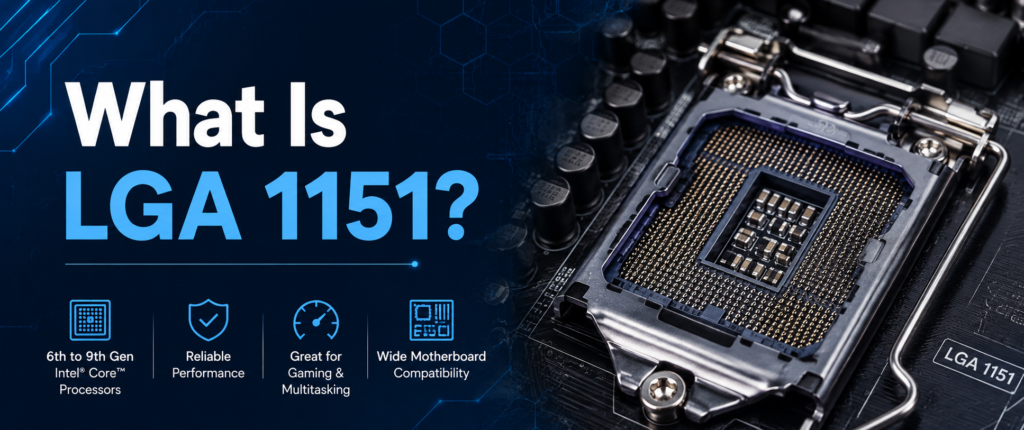
LGA 1151 is Intel’s 2015 release of a desktop CPU socket code-named Socket H4. It is called as such due to the fact that it has 1,151 contact pins, which sit on the motherboard socket and touch the underside of the processor — the CPU itself has no pins.
It is capable of DDR4 memory and provides PCIe 3.0 lanes for graphics cards, storage, and expansion devices. It used to be Intel’s mainstream platform for gaming PCs, office PCs, and small workstations for about four years.
| Spec | Detail |
|---|---|
| Socket Name | LGA 1151 (Socket H4) |
| Release Year | 2015 |
| Pin Count | 1,151 |
| Memory Support | DDR4 |
| PCIe Support | PCIe 3.0 |
| CPU Generations | 6th, 7th, 8th, 9th Gen |
These specs stayed the same across all four generations. What changed generation to generation was clock speeds, core counts, and chipset support — not the socket itself.
LGA 1151 Compatibility Explained (Most Important Section)
This is where most buyers are mistaken. In fact, LGA 1151 applies to two different compatibility groups, and a CPU of one type could not be used on a motherboard of the other.
LGA 1151 Revision 1 is compatible with Skylake and Kaby Lake CPUs. It is compatible with these chips:
- H110
- B150
- H170
- Z170
- B250
- H270
- Z270
LGA 1151 Revision 2 supports Coffee Lake and Coffee Lake Refresh processors. It works with these chipsets:
- H310
- B360
- H370
- Z370
- B365
- Z390
The socket looks identical in both revisions, but the internal pin mapping and power delivery are different. The same socket does not mean the CPUs are interchangeable. Here’s the split laid out side by side:
| Revision | Supported Generations | Chipsets |
|---|---|---|
| Revision 1 | 6th Gen Skylake, 7th Gen Kaby Lake | H110, B150, H170, Z170, B250, H270, Z270 |
| Revision 2 | 8th Gen Coffee Lake, 9th Gen Coffee Lake Refresh | H310, B360, H370, Z370, B365, Z390 |
Once you know which revision your board falls into, choosing a compatible CPU becomes simple. A common exception: Z370 boards can often run 9th Gen chips like the Core i9-9900K after a BIOS update, but this isn’t guaranteed on every board and always needs manual confirmation.
Complete LGA 1151 CPU List
This is the complete list of all the major processor variants available for this socket, organised by generation to easily correlate your CPU with the chipset.
6th Gen Skylake
Skylake was the first generation for this socket, and it was used with 100 Series and early 200 Series boards.
| Tier | Models |
|---|---|
| Core i7 | i7-6700K, i7-6700 |
| Core i5 | i5-6600K, i5-6600, i5-6500, i5-6400 |
| Core i3 | i3-6300, i3-6100 |
| Pentium | Pentium G4560, Pentium G4520 |
| Celeron | Celeron G3900, Celeron G3920 |
7th Gen Kaby Lake
Kaby Lake is a small update to Skylake where the clock speed has been bumped up, and Revision 1 chipsets remain supported.
| Tier | Models |
|---|---|
| Core i7 | i7-7700K, i7-7700 |
| Core i5 | i5-7600K, i5-7600, i5-7500, i5-7400 |
| Core i3 | i3-7350K, i3-7100 |
| Pentium | Pentium G4620 |
| Celeron | Celeron G3930 |
8th Gen Coffee Lake
Coffee Lake jumped to six-core Core i5 and i7 chips, but it moved to Revision 2, so it needs a 300 Series board.
| Tier | Models |
|---|---|
| Core i7 | i7-8700K, i7-8700 |
| Core i5 | i5-8600K, i5-8500, i5-8400 |
| Core i3 | i3-8350K, i3-8100 |
| Pentium Gold | G5600, G5500 |
| Celeron | G4900 |
9th Gen Coffee Lake Refresh
Coffee Lake Refresh introduced the first Core i9 on this socket and remains the most powerful option for LGA 1151 boards.
| Tier | Models |
|---|---|
| Core i9 | i9-9900K, i9-9900 |
| Core i7 | i7-9700K, i7-9700 |
| Core i5 | i5-9600K, i5-9600, i5-9400 |
| Core i3 | i3-9350KF, i3-9100 |
Xeon E3 v5 & v6
Intel also released versions of Xeon on this socket for workstation builds. These are designed to be deployed on small machines and ECC-compliant workstations, not on home PCs.
| Generation | Model | Notes |
|---|---|---|
| Xeon E3 v5 (Skylake) | Xeon E3-1275 v5, E3-1240 v5 | Requires C236 chipset |
| Xeon E3 v6 (Kaby Lake) | Xeon E3-1275 v6, E3-1240 v6 | Requires C236 or C246 chipset |
These support ECC memory on compatible server boards and are common in small business workstations.
LGA 1151 Chipset Compatibility
Chipsets are grouped into three series, and each series lines up with a specific CPU generation range.
| Series | Chipsets | Supported CPUs |
|---|---|---|
| 100 Series | H110, B150, H170, Z170 | Skylake |
| 200 Series | B250, H270, Z270 | Skylake, Kaby Lake |
| 300 Series | H310, B360, H370, Z370, B365, Z390 | Coffee Lake, Coffee Lake Refresh |
If your board uses a 100 or 200 Series chipset, it will not run any Coffee Lake CPU, including the Core i5-8400 or Core i9-9900K, no matter what BIOS version is installed.
Best LGA 1151 CPUs for Different Users
Not every processor fits every need. Here’s how to match a CPU to your actual use case.
| Category | Recommended CPU | Why |
|---|---|---|
| Best Overall | Intel Core i9-9900K | Highest core count and clock speeds on the platform |
| Best Gaming | Intel Core i7-9700K | Strong single-core performance without hyperthreading overhead |
| Best Productivity | Intel Core i9-9900K | Handles multitasking and rendering workloads well |
| Best Budget | Intel Core i5-8400 | Six cores at a low price point, ideal for everyday use |
| Best Upgrade for Older Boards | Intel Core i7-7700K | Top-tier chip for Revision 1 boards without needing a new motherboard |
None of these picks are one-size-fits-all — the right chip really comes down to what your motherboard’s chipset can support in the first place.
Is LGA 1151 Still Worth Buying in 2026?
While it still has its uses, LGA 1151 doesn’t fit everyone’s needs anymore.
Pros:
- Low-cost second-hand CPUs
- Robust gameplay on 1080p displays.
- Great for office and productivity systems
- Wide availability of compatible parts and boards
Cons:
- No DDR5 support
- Support for next-generation GPUs and drives omitted from PCIe 5.0.
- Limited room for future upgrades
The easiest and least expensive way to increase performance, if you already have a compatible motherboard, is to upgrade within the socket. When building from scratch, it would be better to use a newer platform.
LGA 1151 vs LGA 1200 vs LGA 1700
If you’re weighing a full platform switch instead of a same-socket upgrade, here’s how LGA 1151 compares to Intel’s two newer mainstream desktop sockets, LGA 1200 and LGA 1700.
Here’s how LGA 1151 compares to Intel’s two newer sockets.
| Feature | LGA 1151 | LGA 1200 | LGA 1700 |
|---|---|---|---|
| CPU Generations | 6th–9th Gen | 10th–11th Gen | 12th–14th Gen |
| Memory Support | DDR4 | DDR4 | DDR4 / DDR5 |
| PCIe Generation | PCIe 3.0 | PCIe 3.0 / 4.0 | PCIe 5.0 |
| Max Core Count | 8 cores | 10 cores | 24 cores |
| Best Use Case | Budget builds, upgrades | Mid-range gaming | High-end gaming, workstations |
The DDR5 and PCIe 5.0 novelty is only introduced with the jump from LGA 1151 to LGA 1700, so the LGA 1700 is the better option if you’re not just looking for a minor speed bump and truly future-proofing.
Still using a Haswell or Broadwell platform? Check our complete LGA 1150 CPU List to find every compatible Intel processor.
Common Questions Related to LGA 1151 CPU
What CPUs are compatible with LGA 1151?
CPUs from 6th Gen Skylake, 7th Gen Kaby Lake, 8th Gen Coffee Lake, and 9th Gen Coffee Lake Refresh all use the LGA 1151 socket. However, chipset support splits them into two separate compatibility groups.
What generation is LGA 1151?
LGA 1151 covers four generations: Skylake, Kaby Lake, Coffee Lake, and Coffee Lake Refresh, released between 2015 and 2018.
Is LGA 1151 still good in 2026?
Yes, for budget builds, office PCs, and 1080p gaming rigs. It lacks DDR5 and PCIe 5.0, so it’s not ideal for a future-proof high-end build.
What is the best LGA 1151 CPU?
The Intel Core i9-9900K is widely considered the best LGA 1151 CPU for overall performance, offering the highest core count and clock speeds on the platform.
Are all LGA 1151 CPUs compatible?
No. LGA 1151 Revision 1 and Revision 2 boards are not interchangeable. Always check your chipset before buying a processor.
Conclusion
The LGA 1151 CPU list is actually two separate lists: Revision 1 boards are known to support Skylake and Kaby Lake processors, while Revision 2 boards are known to support Coffee Lake and Coffee Lake Refresh. Don’t assume that what is in the socket will boot; check the motherboard chipset first when purchasing.
If you are upgrading, make sure that you get the same CPU model as your current one, and then try to get the best CPU that you can; in other words, upgrade to a Core i7-7700K on older boards, and upgrade to a Core i9-9900K on newer boards. This is the first time you do it only once, saving you time and the hassle of sending it back.