
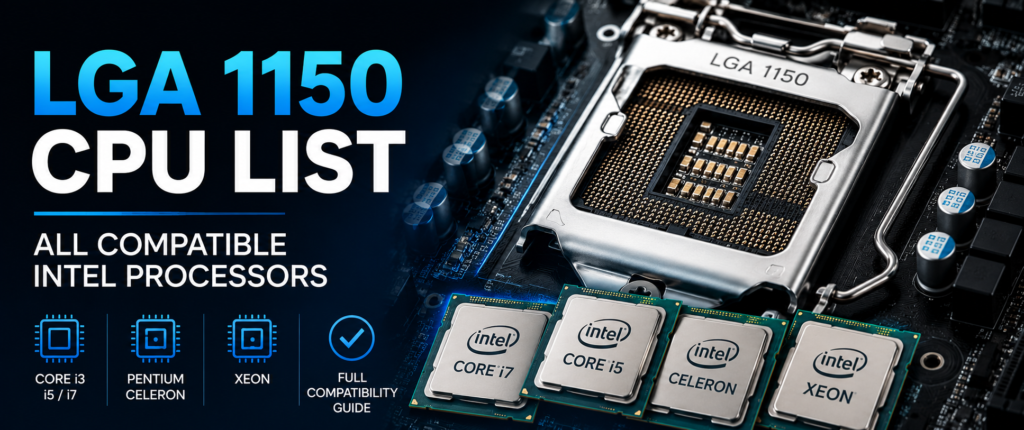
If you’re rebuilding an old desktop or hunting for a cheap upgrade, you’ve probably landed on this LGA 1150 CPU list while trying to figure out exactly what will fit your board. It’s a fair question — Intel released a lot of chips for this socket, and not every motherboard supports every one of them. This guide breaks down the full LGA 1150 processor list, including Haswell, Haswell Refresh, Devil’s Canyon, Broadwell, and the Xeon E3 lineup, so you know exactly what to buy.
Socket H3 (LGA 1150) was Intel’s mainstream desktop socket for a couple of generations, and it’s still floating around in a huge number of used PCs, office machines, and budget builds. In this guide, you’ll find the complete CPU list, chipset compatibility, generation differences, best picks by use case, and honest advice on whether it’s still worth buying into in 2026.
Quick Answer — Which CPUs Are Compatible with LGA 1150?
Here’s the short version if you just need a fast answer:
- 4th Gen Haswell — Core i3, i5, i7 desktop chips
- Haswell Refresh — a mid-cycle update with slightly higher clocks
- Devil’s Canyon — the overclocker-friendly i5-4690K and i7-4790K
- 5th Gen Broadwell — a small batch of desktop chips with better integrated graphics
- Xeon E3 v3 — Haswell-based workstation and server chips
- Xeon E3 v4 — Broadwell-based Xeon chips
One thing to flag early: some Broadwell processors need a BIOS update and a compatible 9-series board before they’ll boot. We’ll cover exactly which boards support what further down.
What Is LGA 1150?
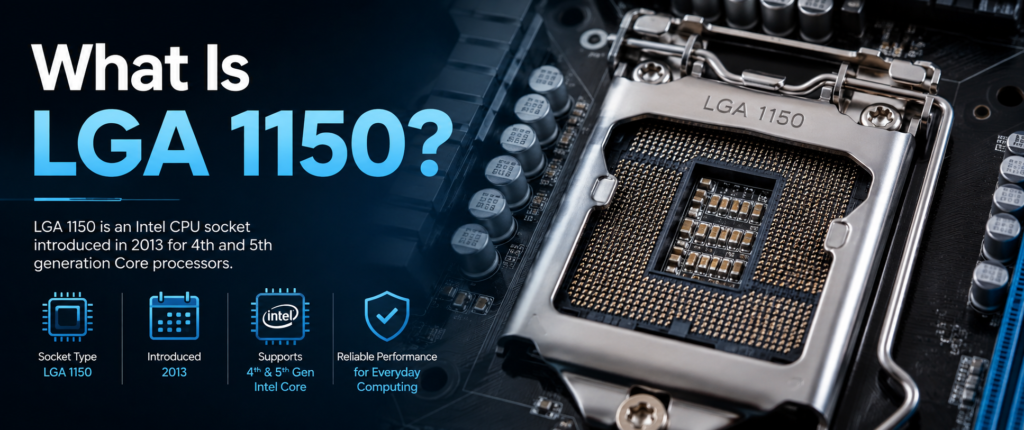
LGA 1150, also known as Socket H3, is Intel’s desktop CPU socket introduced in 2013. Its name is derived from the 1,150 contact pins in its design; these pins sit on the socket and align with flat contact pads on the underside of the CPU, rather than pins on the chip itself.
It is a DDR3-compatible socket, and at the time was the standard memory type, and that’s one of the reasons why today boards and DDR3 memory for this platform are so cheap. It also allows for the support of PCIe 3.0, meaning that it has enough bandwidth to power a modern graphics card that is modern, by today’s budget build standards.
Unlike the earlier LGA 775 platform, most LGA 1150 chips have integrated graphics, making a graphics card a non-essential piece of hardware for most desktop, office PC, and home server applications. Common applications of this socket now are budget gaming rigs, file servers, home labs, and other office computers.
| Spec | Detail |
|---|---|
| Socket Name | LGA 1150 / Socket H3 |
| Release Year | 2013 |
| Pin Count | 1,150 |
| Memory Support | DDR3 |
| PCIe Version | PCIe 3.0 |
| Integrated Graphics | Yes (most models) |
| CPU Generations | Haswell (4th Gen), Broadwell (5th Gen) |
Complete LGA 1150 CPU List
The complete LGA 1150 CPU list is provided and helpfully divided into tiers to easily find the CPU you need or to compare CPU options.
Core i7 Processors
The Core i7 family is the highest end of the family on this socket, targeting gamers, content creators, and demanding multitasking. The majority of the models have 4 cores and 8 threads due to Hyper-Threading. The i7-4790K is the fastest and most popular chip in the platform.
| Model | Cores/Threads | Base Clock | Notes |
|---|---|---|---|
| Intel Core i7-4790K | 4/8 | 4.0 GHz | Devil's Canyon, unlocked |
| Intel Core i7-4790 | 4/8 | 3.6 GHz | Strong all-around performer |
| Intel Core i7-4771 | 4/8 | 3.5 GHz | Rare OEM-focused SKU |
| Intel Core i7-4770K | 4/8 | 3.5 GHz | Original unlocked Haswell |
| Intel Core i7-4770 | 4/8 | 3.4 GHz | Locked multiplier |
| Intel Core i7-5775C | 4/8 | 3.3 GHz | Broadwell, Iris Pro graphics |
Core i5 Processors
The best price and performance for most builds on this socket is Core i5 chips. These are quad-core, quad-thread processors, without Hyper-Threading, but able to do the job in a gaming and day-to-day way. The i5-4690K is a popular chip with budget overclockers.
| Model | Cores/Threads | Base Clock | Notes |
|---|---|---|---|
| Intel Core i5-4690K | 4/4 | 3.5 GHz | Devil's Canyon, unlocked |
| Intel Core i5-4690 | 4/4 | 3.5 GHz | Popular budget-gaming pick |
| Intel Core i5-4670K | 4/4 | 3.4 GHz | Original unlocked Haswell i5 |
| Intel Core i5-4590 | 4/4 | 3.3 GHz | Common OEM build chip |
| Intel Core i5-5675C | 4/4 | 3.1 GHz | Broadwell, Iris Pro graphics |
Core i3 Processors
The Core i3 are dual-core, with Hyper-Threading, so they’re a good choice for office tasks and casual gamers. They are less expensive and cooler than the i5 or i7 lines and are responsive to everyday tasks. The fastest clocked in this tier is the i3-4370.
| Model | Cores/Threads | Base Clock | Notes |
|---|---|---|---|
| Intel Core i3-4370 | 2/4 | 3.8 GHz | Highest-clocked i3 for this socket |
| Intel Core i3-4360 | 2/4 | 3.7 GHz | Good light-use option |
| Intel Core i3-4170 | 2/4 | 3.7 GHz | Common in office PCs |
| Intel Core i3-4130 | 2/4 | 3.4 GHz | Entry-level dual-core |
Pentium Processors
The Pentium series refers to the mid-range budget chips that Intel makes, designed for basic desktop applications instead of heavy applications. These are non-Hyper-Threading dual-core, dual-thread processors. The standout here is the Pentium G3258, which was an unlocked chip that made a cult classic for low-cost overclocking.
| Model | Cores/Threads | Base Clock | Notes |
|---|---|---|---|
| Intel Pentium G3258 | 2/2 | 3.2 GHz | Anniversary Edition, unlocked |
| Intel Pentium G3260 | 2/2 | 3.3 GHz | Locked, budget desktop use |
| Intel Pentium G3220 | 2/2 | 3.0 GHz | Basic office-grade chip |
Celeron Processors
At the lowest end of this socket are Celeron chips capable of handling the simplest of tasks, such as browsing, office documents, and playing media. They’re also dual-core and non-Hyper-Threading, so don’t expect a lot of multitasking options. These tend to be the most economical route to a working LGA 1150 system.
| Model | Cores/Threads | Base Clock | Notes |
|---|---|---|---|
| Intel Celeron G1850 | 2/2 | 2.9 GHz | Common low-cost build |
| Intel Celeron G1840 | 2/2 | 2.8 GHz | Entry-level option |
| Intel Celeron G1820 | 2/2 | 2.7 GHz | Minimal desktop tasks only |
Xeon E3 v3 & v4 Processors
Xeon chips on this socket are essentially workstation-grade Haswell and Broadwell processors, and they’re a favorite for home labs because they often support ECC memory.
| Model | Cores/Threads | Base Clock | Notes |
|---|---|---|---|
| Intel Xeon E3-1231 v3 | 4/8 | 3.4 GHz | Excellent home-server chip |
| Intel Xeon E3-1271 v3 | 4/8 | 3.6 GHz | Higher-clocked workstation option |
| Intel Xeon E3-1246 v3 | 4/8 | 3.5 GHz | Includes integrated graphics |
| Intel Xeon E3-1285L v4 | 4/8 | 3.4 GHz | Broadwell-based, Iris Pro graphics |
These Xeon chips work in most consumer LGA 1150 boards too, as long as the board’s BIOS recognizes them — worth checking your motherboard’s CPU support list before buying.
Haswell vs Broadwell Processors
This socket is home to two generations of CPUs, and there’s more difference between them than most buying guides would indicate.
Haswell is the 4th generation and the generation you’ll be seeing a lot more of on the used market. It features the most generous CPU selection of any on the market, and the best overall value per dollar, ranging from Celeron, all the way through to the i7-4790K.
Broadwell is the 5th generation, and is manufactured with the 14nm process, so it will be more power-efficient and with significantly improved integrated graphics thanks to Iris Pro. The problem is that desktop Broadwell chips are pretty scarce; Intel has just offered a few, such as the i7-5775C and i5-5675C, and they’re not that common. And they’re not as well stocked as Haswell.
The two CPU generations on this socket have real differences, and picking the right one matters more than most buying guides let on.
| Feature | Haswell (4th Gen) | Broadwell (5th Gen) |
|---|---|---|
| Process Node | 22nm | 14nm |
| CPU Selection | Very large | Limited |
| Power Efficiency | Good | Better |
| Integrated Graphics | Standard | Iris Pro (stronger) |
| Market Availability | Common | Rare, pricier used |
| BIOS Requirement | Usually native support | Often needs BIOS update |
If you find a good deal on an i7-5775C or i5-5675C, it’s a great chip — but confirm your board supports it before you buy, since Broadwell desktop CPUs aren’t plug-and-play on every 9-series board without a BIOS update first.
LGA 1150 Chipset Compatibility
Not every LGA 1150 motherboard supports every CPU on this list, and the chipset is the main reason why.
8-Series chipsets were the original lineup for this socket:
- H81 — entry-level, minimal features
- B85 — budget business boards
- H87 — mainstream, no overclocking
- Q85 / Q87 — business-focused, manageability features
- Z87 — the enthusiast board, supports overclocking
9-Series chipsets followed and added Broadwell support:
- H97 — mainstream, adds Broadwell compatibility
- Z97 — enthusiast board with overclocking and Broadwell support
Only 9-series boards (H97 and Z97) officially support Broadwell desktop CPUs, and even then, many boards need a BIOS update applied before the chip will post. Overclocking is limited to Z87 and Z97 boards paired with a “K” series unlocked CPU — locked chips won’t overclock on any board.
| Chipset | Series | Broadwell Support | Overclocking |
|---|---|---|---|
| H81 | 8-Series | No | No |
| B85 | 8-Series | No | No |
| H87 | 8-Series | No | No |
| Q85 / Q87 | 8-Series | No | No |
| Z87 | 8-Series | Limited / BIOS-dependent | Yes |
| H97 | 9-Series | Yes | No |
| Z97 | 9-Series | Yes | Yes |
Best LGA 1150 CPUs for Different Users
If you just want a straight recommendation, here’s how to pick the best LGA 1150 CPU for your situation.
| Category | Recommended CPU |
|---|---|
| Best Overall | Intel Core i7-4790K |
| Best Gaming | Intel Core i7-4790K |
| Best Productivity | Intel Core i7-5775C |
| Best Budget | Intel Core i5-4690 |
| Best Value | Intel Core i5-4690K |
| Best Xeon Alternative | Intel Xeon E3-1231 v3 |
The i7-4790K leads the overall and gaming picks not only for its higher clock speed, but for its ability to play the latest games at lower resolutions with decent performance. The greater efficiency of Broadwell and the integrated graphics make the i7-5775C more efficient for productivity needs, such as light content creation and media encoding.
The i5-4690 is a more affordable choice for solid 4-core performance. If you’re looking for a small, inexpensive overclock of an i5, you may be better off with the i5-4690K. The Xeon E3-1231 v3 is actually an i7-4790 with ECC support; it’s typically not as costly as the i7-4790 version that’s sold to consumers.
Is LGA 1150 Still Worth Buying in 2026?
It depends on how you’re using it, so let’s go through the pros and cons of using it.
Pros:
- Very cheap on the used hardware market.
- Ideal for budget gaming at 1080p and the additional GPU.
- Great for use as an office or home computer
- Excellent option for the home server or NAS-type applications.
- The parts are readily available in the large second-hand market.
Cons:
- Only DDR3 memory – slower and less available than DDR4/DDR5
- It can’t support PCIe Gen4 or Gen5 devices.
- The majority of CPUs used in this socket are not officially supported by Windows 11.
- With the platform fully optimized, upgrading is not possible.
In 2026, LGA 1150 is still economically viable for those looking to construct a budget-friendly secondary PC, home server, or vintage gaming system. It’s best to invest in a “next few years” platform, rather than a current generation one.
LGA 1150 vs LGA 1155 vs LGA 1151
Let’s explore how LGA 1150 compares to its predecessor and successor.
| Feature | LGA 1155 | LGA 1150 | LGA 1151 |
|---|---|---|---|
| CPU Generations | Sandy Bridge, Ivy Bridge | Haswell, Broadwell | Skylake through Coffee Lake |
| Memory Support | DDR3 | DDR3 | DDR3 / DDR4 (varies) |
| Chipsets | 6/7-Series | 8/9-Series | 100/200/300-Series |
| Best Processor | Core i7-3770K | Core i7-4790K | Core i7-8700K |
| Upgrade Path | Ends at Ivy Bridge | Ends at Broadwell | Better long-term support |
| Best Use Case | Budget/retro builds | Budget builds, home servers | More modern, gaming-capable |
Today, if you are looking at these three for value only, LGA 1151 is the most modern of the lot and may have the ‘longest’ runway, while LGA 1150 is just about the ‘cheap middle’.
If you’re upgrading an older Intel system, you may also want to explore our LGA 1155 CPU List to compare compatible processors and see how Socket 1155 stacks up against LGA 1150.
Questions Related to LGA 1150 CPU Socket
What CPUs fit LGA 1150?
LGA 1150 is designed to accommodate Intel’s 4th Generation Haswell and 5th Generation Broadwell desktop processors, and Xeon E3 v3 and E3 v4 workstation processors. This includes the latest Celeron, Pentium, and up to Core i7.
What generation is LGA 1150?
LGA 1150 will handle the 4th generation (Haswell) processors in the main part but will also accept 5th generation (Broadwell) processors, on a smaller number of boards that include 9-series chipsets and new BIOS.
What is the best LGA 1150 CPU?
The Intel Core i7-4790K is the best overall chip for this socket, and it’s an unlocked chip with a high clock speed. If you want more impressive graphics performance, the i7-5775C is a good choice.
Is LGA 1150 still good in 2026?
Yes, for budget builds, home servers, and basic desktop use, LGA 1150 remains a solid and affordable option. It’s not ideal for anyone wanting a long upgrade path or the latest PCIe standards.
Do all LGA 1150 motherboards support Broadwell CPUs?
No, only 9-series chipsets (H97, Z97) support Broadwell processors, and many Broadwell boards need to be upgraded to the latest BIOS for the CPU to function properly.
Final Words
From budget Celeron to high-performance Core i7 and Xeon, LGA 1150 CPUs can be found in a variety of configurations, including both Haswell and Broadwell chips. When preparing to upgrade, always verify your motherboard’s chipset and, if required, whether or not a BIOS update is necessary, particularly for Broadwell CPUs.
The Core i7-4790K or Core i5-4690K processors are the most popular choices for this socket, providing a sweet middle-ground between performance and cost. You don’t need to go for the top-of-the-line chip, as this list of LGA 1150 CPUs should help you choose your chip to fit your budget and workload.