Internal Storage

Buy Internal Storage Drives to Boost System Performance

Buy internal storage drives from BulkDevices to eliminate one of the most common performance bottlenecks in modern systems. Slow drive prolongs the boot times, slows the application loading, and decreases productivity. Need more space to store your files or be able to work with a high workload? You instantly increase responsiveness in the system by upgrading your internal storage drives. In businesses and professions, effective storage is a key to continuity of workflow, and thus the selection of the right drive is a key to the long-term performance benefits.

Comparing Hard Drives and SSDs for Internal Storage Solutions

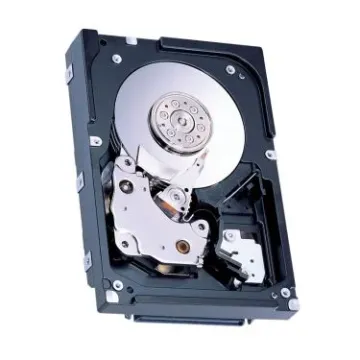
When comparing storage upgrades, it is important to know the distinction between hard drives and SSDs. Traditional HDDs are based on spinning platters to read and write data, and this has a lower cost per gigabyte. They are also suitable for backups, to store media, and when the storage capacity is more important than the speed.

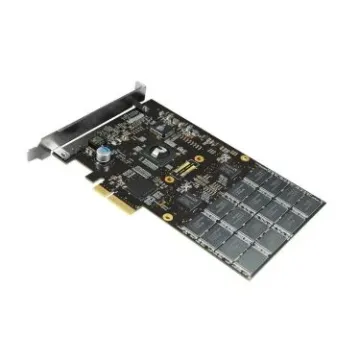
In comparison, SSDs are based on flash memory and do not use any moving components, providing much faster read and write speeds. This renders them suitable for operating systems and regularly utilized applications. Internal storage is also moving to SSDs in the modern world as they are offering faster boot-up, multitasking, and durability. Although HDDs continue to dominate bulk storage, SSDs are favored by performance-oriented consumers.

Selecting Computer Internal Drives and Enterprise Storage

The first step in choosing the appropriate computer internal drives is identifying the correct form factor to fit in your physical system and application. Various devices demand particular storage arrangements to ensure optimal efficiency and dependability.

  • Desktop PC: Large 3.5-inch HDDs can be used in desktop PCs to store a lot of media and games, and a dedicated M.2 slot can be used to install a fast SSD as a dedicated Windows boot disk
  • Laptops: Laptops are generally powered by drives of 2.5-inch or compact NVMe SSDs, which use less power, have long battery capacity, and are not easily damaged by shocks due to accidental drops during daily use.
  • Server Racks: Enterprise internal storage drives with SAS interfaces are needed in server racks to ensure 24/7 operation, and have vibration sensors to eliminate the corruption of data on large multi-drive arrays.
The right drive will guarantee maximum compatibility, performance, and life cycle. Through matching the storage type with the needs of the device, users will be able to realize uniform speed boosts and data integrity across various computing settings.

Top Brands: Seagate, WD, Samsung, Toshiba, and Hitachi Internal Drives

Storage innovation is driven by leading manufacturers, each specializing in different performance areas. Seagate internal drives and Western Digital internal drives are the market leaders, and they have a variety of product lines that suit desktops, NAS systems, and even surveillance systems. Their organized product lines facilitate easier matching of the drives to a particular workload.

Samsung internal storage is one of the highest quality that can be preferred by speed-oriented users. Its EVO and PRO SSD lines are characterized by an outstanding read and write performance, which is the best fit in gaming, content creation, and workflows that require immediate data access.

When it comes to reliability, Toshiba internal hard drives and Hitachi internal drives (HGST) are the trusted choice for enterprise environments. Engineered for longevity, these drives consistently deliver stable performance under heavy workloads in data centers and mission-critical systems. Collectively, these brands shape the modern storage ecosystem, balancing speed, capacity, and long-term reliability.

Understanding Interfaces: SATA vs. NVMe vs. SAS

Storage interfaces are specifications that determine the way data is transferred between a drive and the rest of the system. The most universal one is SATA, as it can be used on the great majority of desktops and laptops. NVMe uses PCIe lanes, but has much higher data transfer rates, which are appropriate to high-performance applications. SAS is only applicable to the enterprise setting, which provides better reliability and scalability of the servers.

Regardless of buying any drive, it is always best to consult your motherboard manual to ascertain connector compatibility. Selecting the right interface makes sure that it will be installed correctly and the full performance potential of the drive will be achieved.

Frequently Asked Questions(FAQs)

Can I replace my laptop's HDD with an SSD?
Yes, replacing a hard drive with an SSD is one of the best upgrades you can make. Most laptops use a standard 2.5-inch bay, making the swap largely plug-and-play. You will notice immediate improvements in boot speed, application loading, and overall system responsiveness.

What is "RPM" and does it matter?
RPM stands for Revolutions Per Minute and applies only to mechanical hard drives. A 7200 RPM drive offers faster data access and is standard in desktop systems, while a 5400 RPM drive runs quieter and consumes less power, making it ideal for laptops and backup drives.

Do I need a mounting bracket?
If installing a 2.5-inch SSD into a 3.5-inch desktop drive bay, a mounting bracket is necessary. This simple adapter ensures the smaller drive fits securely, preventing movement and maintaining proper alignment within the system for safe and stable operation.

Why Buy From BulkDevices?

BulkDevices delivers reliable storage solutions backed by rigorous testing and quality assurance. Refurbished enterprise drives undergo secure data wiping, ensuring complete privacy. With a vast inventory of legacy components and fast shipping, BulkDevices supports both modern upgrades and older system requirements efficiently.