
- Fast & Tracked US Shipping On All Full Systems
- Cheapest Worldwide Delivery Rates Anywhere
- Sign in

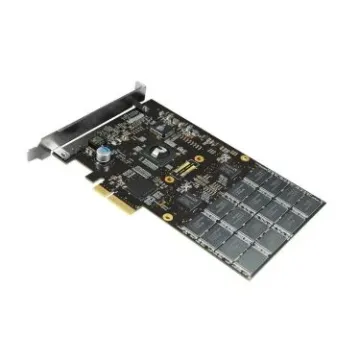

Buy Solid State Drives for Instant System Acceleration
Buy solid-state drives from BulkDevices to unlock the fastest, most noticeable upgrade any system can achieve. Older storage drives are slow, but new solid-state drives provide instant access to data. Replace a laggy laptop or build a high-end PC workstation, flash storage eliminates stutters, cuts boot times, and speeds up app launches. These drives are fast and reliable, with no moving parts, to deliver lightning-fast performance you can count on when working with modern applications.
Upgrade to High Speed Internal SSD Drives
One of the easiest ways to improve your system's efficiency is by adding storage. You might be looking for a faster system or more storage space, so it's time to consider a new pc hard drive arrangement. If you want more storage space, a standard SATA desktop HDD will give you a good bang for your buck and is perfect for storing images, music, backups, and other data. These drives are part of the BulkDevices Internal Storage series, and they are the future of computing. They are designed for those who need fast, responsive, and reliable computing.Choosing Between SATA SSD and NVMe SSD
It's all about speed and compatibility. The connection type is important to consider when upgrading, as the motherboard plays a critical role in the decision.
- A SATA SSD is connected to the motherboard using SATA cables and can be installed in a desktop or laptop computer without replacing the hard drive cable and motherboard to boost the data transfer speed without any other upgrades.
- An NVMe SSD is directly connected to the motherboard using the M.2 connection and PCIe lanes, which allows for extremely high-speed data transfers, and is essential for gamers, video editors, and other large data transfer applications.
- Enterprise SSDs are designed to be endlessly rugged (Drive Writes Per Day (DWPD) to perform under the most extreme conditions, such as database, server caching, and other applications that log data, without exhausting the memory cells too soon.
So, SATA is slower, cheaper, and more compatible, but NVMe is faster. The trade-off is your computer compatibility and what you need to do (speed) for games, productivity, or whatever you want to do.
Top Brands: Samsung, WD, Crucial, Seagate, and Kingston
The SSD market is highly innovative, and the market leaders excel in different areas. Samsung SSDs dominate the high-performance market, especially the EVO and PRO series, which offer lightning-fast performance and endurance to those who need the very best for their professional computers and applications.
Western Digital SSD and Seagate SSD have an array of products for gaming and network storage. Their pro-series provides a balance of speed, stamina, and expandability for home and commercial use.
When it comes to ruggedness and sturdiness, Toshiba desktop hard drives and Hitachi desktop HDD drives are often considered the most reliable. These are often preferred in enterprise desktop computers and workstations requiring long-term reliability.
Kingston SSD and Crucial SSD are best for enterprise and affordability. These companies are known for their compatibility and stability in the office, and for offering reliable value computing for everyday needs.
Form Factors: M.2 vs. 2.5-Inch
When choosing an SSD, physical form factor plays a critical role in installation. The 2.5-inch drive is similar to a conventional hard drive and uses SATA cables for connection, allowing for easy installation in existing systems. It is highly versatile and suitable for easy upgrades. M.2 drives are smaller and connect directly to the motherboard, eliminating cables. They provide a neater installation and can use higher-speed data connections, particularly NVMe. But make sure your motherboard supports NVMe or only SATA-based M.2 drives to ensure compatibility.Frequently Asked Questions (FAQs)
How long do SSDs last?SSDs are built to last, with their lifespan expressed in Terabytes Written (TBW). It is highly unlikely that an average user would reach this point. Even with intensive daily use, a good SSD will serve you well for years.
Will an SSD improve gaming FPS?
An SSD does not directly affect frames per second (FPS) because that is dependent on your graphics card. But it can definitely boost gaming by cutting down load times and removing "stutter" from games due to slow data read speeds while playing.
Do I need a heatsink for my NVMe drive?
Fast NVMe drives, particularly the latest models, produce a lot of heat. Using a heatsink helps keep the drive cool, thereby preventing thermal throttling and allowing the drive to reach its full speed when working under heavy loads.
Why Buy From BulkDevices?
BulkDevices offers a curated range of SSDs backed by rigorous testing standards. From refurbished enterprise drives with secure data wiping to a vast selection of legacy SATA models, every product is performance-verified. With fast shipping and reliable inventory, it’s a trusted destination for both upgrades and large-scale deployments.