

- Fast & Tracked US Shipping On All Full Systems
- Cheapest Worldwide Delivery Rates Anywhere
- Sign in
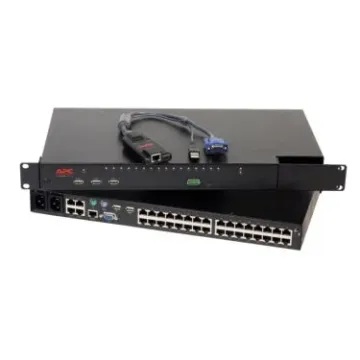

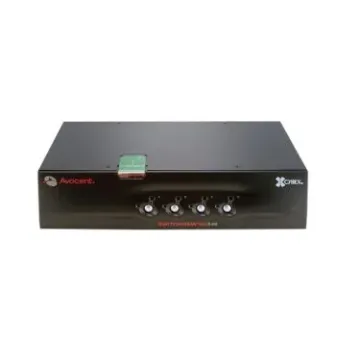

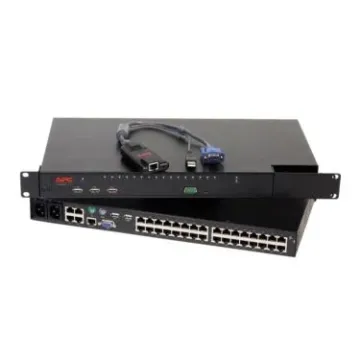

Buy KVM Switch Solutions for Multi-Server Management
BulkDevices offers Buy KVM switch solutions that can be used to simplify complex IT environments and provide the ability to have centralized control over various systems. KVM configuration enables an administrator to control multiple machines with the same keyboard, monitor, and mouse, and save on redundant hardware. A multi-computer KVM switch is useful whether in offices or in server rooms, to reduce clutter, maximize workflow, and to access systems in a fast manner. BulkDevices provides trusted solutions that match the needs of IT professionals who require performance, flexibility, and simplified infrastructure management without interfering with operational control.
Rack Mount KVM Switch vs. Desktop Solutions
The decision on whether to use desktop or rack-based solutions will depend on your environment and scale of operation. Desktop models are smaller and usually serve between two and four systems, which means that they are suitable for professionals operating a PC and a Mac within the same workstation. They are easy to install and can be used in multitasking daily without intricate settings.Conversely, a rack-mount KVM switch is intended to be used in a well-organized IT environment such as a server room or data center. These units serve increased port densities, which in most cases reach between 8 and 32 systems and fit perfectly in server racks. It is also common to find rack solutions with remote management features, with BIOS-level access via IP connectivity. This is what makes a KVM switch a very necessary device to administrators who need to have local and remote control in high-density settings.
Data Center KVM Switch Efficiency
Distributive control systems will soon become complicated when one is trying to manage numerous headless servers that are housed in a data center. By simplifying access and enhancing operational efficiency for IT administrators, a datacenter KVM switch is a practical solution.- Removes the use of individual monitors, keyboards, and mice per server and greatly reduces hardware clutter, rack space, and enhances airflow in compactly stacked server setups.
- Allows remote troubleshooting using KVM over IP technology, which means that administrators can access servers remotely with high security, and can carry out operations at the BIOS level, as well as correct major problems, without being physically present.
- Enables quick and easy switching between the connected systems via hotkeys or intuitive on-screen display menus, minimizes downtime, and enables administrators to control more than one server with ease and without delay, and without having to navigate complex menus.
Top Brands: ATEN, Dell, HP, Belkin, and StarTech
Trusted brands are also important when choosing KVM solutions to guarantee performance, compatibility, and long-term reliability. The manufacturers have different strengths that fit in various IT environments and needs.ATEN KVM switch series is renowned for its flexibility and broad compatibility as it supports various video interfaces like HDMI, DisplayPort, and VGA. Likewise, the StarTech KVM switch portfolio offers some of the most flexible connectivity, and thus it is suited to mixed-device setups where flexibility is a vital requirement.
For enterprise-grade deployments, the Dell KVM switch and HP KVM switch solutions stand out as industry standards. These devices are engineered to integrate seamlessly within their respective server ecosystems, ensuring consistent performance, easy scalability, and compatibility with existing infrastructure.
Security-focused environments often rely on the Belkin KVM switch, which is designed to meet strict data protection requirements. These switches are commonly used in government and defense sectors where network isolation and secure access are critical priorities.
Frequently Asked Questions (FAQs)
Does a KVM switch cause input lag?Modern high-quality KVM switches are designed to deliver near-zero latency during operation. For local connections, switching between systems is virtually instantaneous. In IP-based setups, performance depends on network speed, but well-configured environments still provide smooth and responsive control.
Can I use wireless keyboards with a KVM?
Compatibility depends on the specific model of the KVM switch. Some units support USB emulation, allowing wireless keyboard and mouse dongles to function properly. However, in professional server environments, wired peripherals are generally recommended for maximum stability and uninterrupted performance.
What is "KVM over IP"?
KVM over IP is a technology that converts keyboard, video, and mouse signals into digital data, allowing remote access through a web browser. This enables administrators to control servers from any location, perform troubleshooting, and manage systems without being physically present.
Why Buy From BulkDevices?
BulkDevices offers a reliable range of KVM solutions suitable for both modern and legacy IT infrastructures. Supporting VGA, DVI, and HDMI connections, it ensures broad compatibility across devices. Businesses benefit from dependable stock, consistent quality, and efficient tools that simplify multi-server management, improve operational control, and support seamless system integration in professional environments.