Network Print Servers

Buy Network Print Server Adapters for Shared Printing

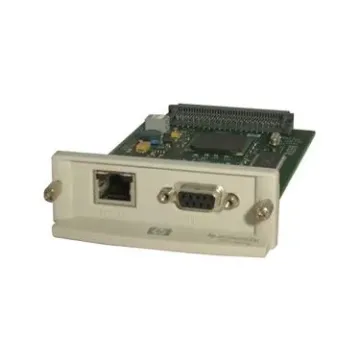
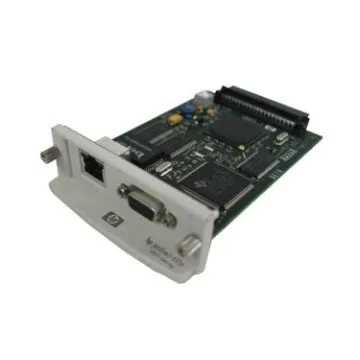
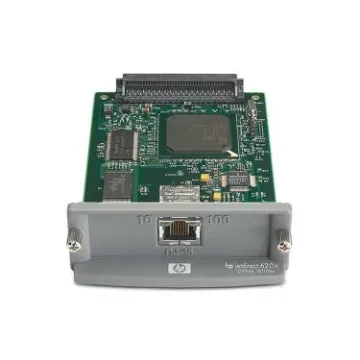
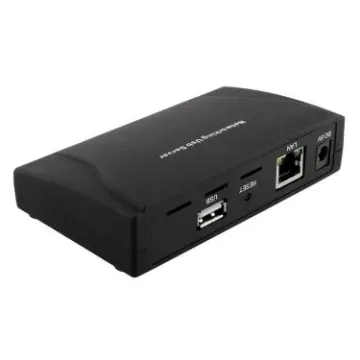
Buy network print server solutions from BulkDevices to eliminate the inefficiency of printers tied to a single computer. Typically, a dedicated PC serves as the printing gateway, which leads to unnecessary waiting time and downtime. The appropriate printer server hardware allows you to share any USB or parallel printer as a common resource across your whole network. These mini adapters are directly connected to your router and will allow your team to print reliably, 24/7, without relying on a single workstation, regardless of team size.

Why Upgrade to an Ethernet Print Server?

A common office frustration is the “bottleneck PC” problem—when the computer connected to the printer is turned off, printing stops for everyone. This dependency disrupts workflow and reduces efficiency, especially in shared environments. An Ethernet print server solves this by connecting the printer directly to your network infrastructure instead of a single computer. Once installed, the printer becomes continuously accessible, allowing multiple users to send print jobs anytime without interruptions. This is a vital part of our Network Products lineup for modernizing older office equipment. By removing reliance on a host PC, businesses gain better uptime, improved accessibility, and a more streamlined printing process.

Selecting the Best Office Print Server

Selecting the appropriate solution will be based on the compatibility of the adapter with the interface of your printer and your workspace needs. The proper setup is one that will perform optimally and be compatible in the long term.

  • USB Connections are compatible with both modern inkjet and laser printers and translate normal USB signals to TCP/IP packets to allow several users on a Windows and macOS platform to share printing without complicated setup.
  • Parallel (LPT) Ports Parallel (LPT) ports are used to support older dot matrix printers that are still in use in warehouses, enabling a business to keep durable industrial equipment without replacement of expensive systems that are still needed in the day-to-day running of the business.
  • Wireless Bridging allows freedom in placing printers within the office and eliminates the use of Ethernet cable, and also makes it difficult to install printers in common areas such as hallways, reception, or meeting rooms.
The right office print server ensures seamless communication among devices, while a robust network print server system minimizes downtime and enhances accessibility. Investing in a business printer server is a viable solution for organizations that have large operations and require stability in performance and overall cost-effectiveness.

Top Brands: TP-Link, D-Link, Netgear, Cisco, and StarTech

Various brands offer different benefits, allowing a business to select solutions based on its needs. The models that are well known as plug-and-play champions include TP-Link print server, D-Link print server, and Netgear print server. These are ideal for small-to-medium-sized businesses requiring rapid deployment without any complex configuration and technical overhead. They can be trusted in daily office use as they have user-friendly interfaces and are stable in performance.

On the other hand, StarTech print server devices stand out as connectivity specialists. They are particularly valuable for environments that rely on legacy interfaces such as DB25 parallel connections, which many modern manufacturers no longer support. This makes them essential for industries that depend on older but still critical printing equipment.

For enterprise-level environments, Cisco print server hardware offers advanced capabilities. These solutions integrate seamlessly with secure networks, supporting VLAN configurations and strict IT policies. Organizations requiring high-level control and network segmentation benefit greatly from Cisco’s robust infrastructure approach.

Protocols and OS Compatibility

Print servers work by converting print jobs to network-compatible formats via well-known communication protocols. Standards such as LPR/LPD and IPP are universal in different operating systems and gadgets. These protocols ensure data is transmitted correctly, whether you are using a Windows desktop, a macOS laptop, or a Linux-based server. In contemporary offices, where there are several systems, this cross-platform compatibility is critical. Print servers minimize the problem of configuration and also provide a uniform output quality, no matter what device is in use, by standardizing the communication.

Frequently Asked Questions (FAQs)

Can I scan using a print server?
In most cases, scanning is not supported through standard print servers. These devices are typically unidirectional, meaning they only send data to the printer. Scanning requires complex bi-directional communication for data return, which is generally not available in basic, budget-friendly print server models.

Does a print server work with Multifunction printers?
A print server will usually enable the printing function of a multifunction printer, but additional features like scanning and faxing may not work. It is important to check the product specifications for MFP compatibility before making a purchase decision.

Do I need a driver?
You typically do not need a driver for the print server itself. However, you must install the printer’s driver on your computer. Once installed, you simply configure the printer port to connect to the server’s assigned IP address.

Why Buy From BulkDevices?

BulkDevices offers a wide range of solutions, including hard-to-find parallel port servers for industrial applications. With competitive bulk pricing and fast shipping, businesses can quickly upgrade their printing infrastructure and ensure reliable shared access across their entire network.