
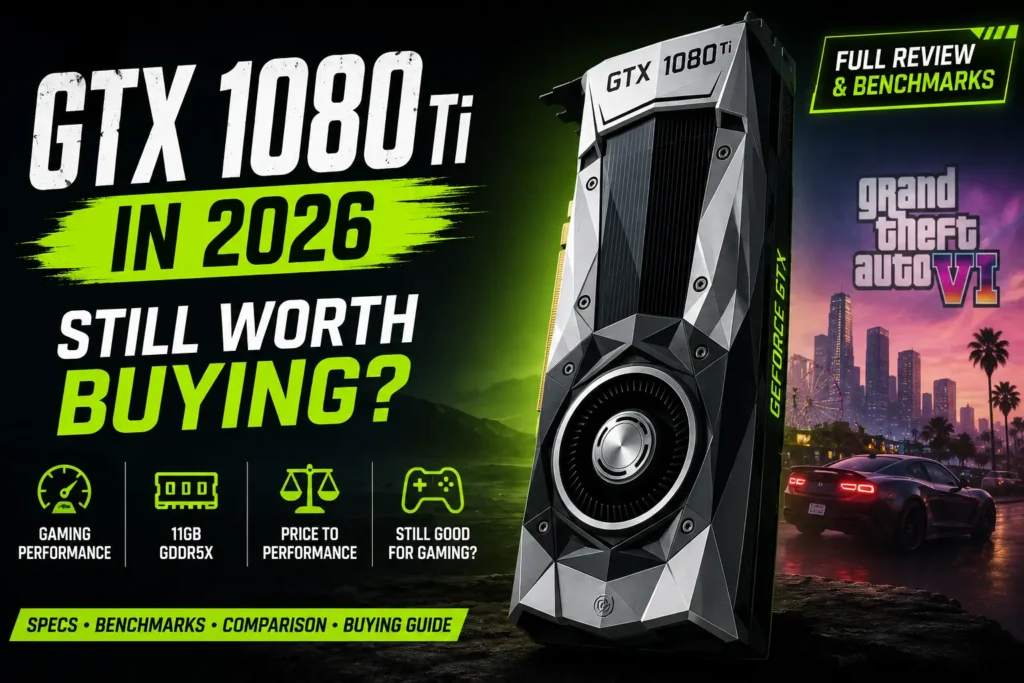
I still remember setting up a GTX 1080 Ti for the first time and being genuinely surprised by how much muscle it had. Years later, it’s still one of NVIDIA’s most talked-about cards, mostly because of how well it holds its value on the used market. If you’re wondering whether picking one up in 2026 actually makes sense, this guide walks through everything you need to decide — no fluff, just a straight answer.
Quick Answer — Is the GTX 1080 Ti Still Worth Buying?
Short answer: yes, but only for the right kind of buyer. Here’s the breakdown:
- Great for budget gamers who don’t want to spend big on a graphics card right now.
- Still holds up well at 1080p and 1440p in most games, especially older and esports titles.
- Not ideal if Ray Tracing, DLSS, or FSR upscaling matter to you — this card simply wasn’t built for that era.
- A refurbished GTX 1080 Ti is almost always a smarter buy than a random used card with no history behind it.
If your priority is smooth frame rates on a tight budget, keep reading. If you need cutting-edge features, you’ll want to skip ahead to the alternatives section.
NVIDIA GTX 1080 Ti Specifications
The NVIDIA GTX 1080 Ti launched back in 2017 on the Pascal architecture, and honestly, it’s aged better than most people expected. Here’s what’s under the hood.
| Spec | Detail |
|---|---|
| Architecture | NVIDIA Pascal |
| CUDA Cores | 3,584 |
| VRAM | 11GB GDDR5X |
| Memory Bus | 352-bit |
| Memory Bandwidth | 484 GB/s |
| Base Clock | ~1,480 MHz |
| Boost Clock | ~1,582 MHz |
| TDP | 250W |
| Interface | PCIe 3.0 (fully compatible with PCIe 4.0 slots) |
| Outputs | 3× DisplayPort, 1× HDMI, 1× DVI-D |
What actually matters here isn’t the raw numbers — it’s what they mean day to day. For instance, the 11GB of GDDR5X VRAM was overkill back in 2017 . Now, finally in 2026, it’s actually proving to be the biggest selling point of this card, as a lot of newer budget GPUs still come with 8GB.
GTX 1080 Ti Gaming Performance in 2026
The GTX 1080 Ti gaming experience will, however, come into play based on gaming resolution and the game being played.
1080p Gaming
The card also has no trouble with most games at High to Ultra settings in 1080p with solid frame rates. This is the sweet spot of this GPU in 2026.
1440p Gaming
Generally, you’ll need to reduce the Ultra setting to the High setting to maintain smooth frame rates at 1440p in newer AAA titles. This still works well for older and mid-weight games.
4K Gaming
The card is beginning to feel its age at 4K. Playable frame rates can be achieved in lighter titles, but higher-end AAA titles will require significantly lower resolutions, and even then, it will not be all that great.
Esports Performance
But this is where the GTX 1080 Ti still has its shine to offer. These competitive titles require little from today’s hardware, and frame rates are consistently high, allowing quick-paced gameplay to be smooth and responsive.
Can the GTX 1080 Ti Run the Latest Games in 2026?
This is the question most buyers actually care about, so let’s go title by title.
Can the GTX 1080 Ti Run GTA 6?
GTA 6 will also officially launch on November 19, 2026, but just for PS5 and Xbox Series X/S at launch, and hasn’t confirmed a release date for PC yet. As they did with GTA V, Rockstar is unlikely to release a PC version until the console version is out for more than a year, so this is more of a “future consideration” than an immediate concern. The game is becoming quite graphically intensive, and once the PC version is confirmed, along with the official requirements, you can expect a GTX 1080 Ti to do its job at lower settings at best.
Want to know whether your current PC can handle Rockstar’s upcoming title? Check out our complete guide to the GTA 6 System Requirements for the latest expected specs, recommended hardware, and performance insights.
Black Myth: Wukong
This is a very challenging title. It will run at medium settings at 1080p for steady performance. 1440p is possible, but there will be some compromises needed, particularly with the shadows and effects lowered.
Call of Duty: Black Ops 7 / Warzone
CoD games are good for this. While playing at 1080p on High, you can expect solid and competitive frame rates, and 1440p is supported if you’re willing to tweak some of their settings.
Counter-Strike 2 & Valorant
It is in these areas that the GTX 1080 Ti feels like it is still at the peak of its powers. They’re both light for 2026, so frame rates will be very high, good for competitive gamers who are more interested in responsiveness than eye candy.
Marvel Rivals
This one will directly take advantage of the card’s 11GB VRAM buffer, preventing the “texture streaming stutters” common in 8GB cards during hectic team fight scenes. Smooth at 1080p on High settings and mostly smooth at 1440p on High settings.
Indiana Jones and the Great Circle
This game is based on the most contemporary features of the GPUs, more than many, and it shows. It will probably have to be run at the Medium level without ray tracing to achieve a frame rate that is comfortable — it will not be as smooth as it is when played on newer cards.
Cyberpunk 2077
With Ray Tracing turned off, Cyberpunk 2077 performs fairly well at 1080p and 1440p, even at High settings. However, when Ray Tracing is enabled, performance suffers greatly — and this is one of the most obvious use-cases for the GTX 1080 Ti’s age.
If you’re considering a newer GPU upgrade, check out our RTX 3080 vs RTX 4070 comparison to see how these cards stack up in performance, power efficiency, and features.
Is 11GB VRAM Still Enough in 2026?
Honestly, yes — and it’s a bit ironic. When the GTX 1080 Ti launched, 11GB felt excessive. Nine years later, it’s become one of the card’s best features.
Modern games are pushing higher-resolution textures than ever, and a lot of budget-to-mid-range GPUs still ship with only 8GB of VRAM. That’s often not enough for texture-heavy games at 1440p, leading to stuttering and texture pop-in even on GPUs that are technically faster on paper.
At 1080p, 11GB gives you plenty of headroom for years to come. At 1440p, it’s often the difference between a smooth experience and one that hitches every time you turn a corner in a detailed open world. It won’t help with ray tracing or upscaling, but for raw texture handling, it’s still surprisingly competitive.
GTX 1080 Ti vs Modern Graphics Cards
Here’s how the GTX 1080 Ti stacks up against some of the newer budget and mid-range options.
| GPU | Gaming Performance | VRAM | Ray Tracing | DLSS / FSR | Power Use | Typical Price | Best For |
|---|---|---|---|---|---|---|---|
| GTX 1080 Ti | Strong 1080p / 1440p | 11GB | No | No | 250W | Budget / Used | Rasterized gaming on a budget |
| RTX 3060 | Similar / Slightly Better | 12GB | Yes (Basic) | DLSS 2 / 3 | 170W | Mid-budget | Buyers who want DLSS and Ray Tracing |
| RTX 4060 | Better in modern titles | 8GB | Yes (Improved) | DLSS 3 (Frame Generation) | 115W | Mid-range | Efficiency and modern features |
| RTX 3070 | Noticeably faster | 8GB | Yes | DLSS 2 / 3 | 220W | Mid-range | 1440p gaming with Ray Tracing |
| RX 6700 XT | Faster in rasterization | 12GB | Yes (Limited) | FSR | 230W | Mid-range | High VRAM without DLSS lock-in |
If you already own a GTX 1080 Ti or can grab one cheap, it still competes well in pure rasterized performance. If you’re purchasing brand new hardware from the ground up and Ray Tracing, DLSS, or FSR are important to you, then the RTX 3060 or RTX 4060 will make more sense over the long haul.
GTX 1080 Ti Pros and Cons
Pros
- High-quality used and refurbished products available at a competitive price.
- Even if you’re playing on an 11GB card, many modern cards are also 8GB, as seen above.
- Rasterized performance of up to 1080p and 1440p is excellent.
- It’s excellent for esports games and older AAA games.
- Fully PCIe 3.0/4.0 compatible motherboard.
Cons
- No support for Ray Tracing.
- No DLSS, and no native FSR hardware acceleration
- More power consumption than is necessary for newer, more efficient GPUs
- The aging CUDA Core architecture struggles to keep up with the latest game engines.
- Selling risk – if the card was previously used for mining operations
Best CPUs to Pair With GTX 1080 Ti
Pairing this GPU with the wrong CPU is one of the easiest ways to waste its potential. Here’s what actually makes sense in 2026.
- Budget: A Ryzen 5 5600 or similar mid-tier Ryzen 5 chip is more than enough to avoid bottlenecking this card at 1080p.
- Mid-range: A Core i7 from the 12th or 13th generation gives you comfortable headroom for 1440p gaming and light multitasking.
- High-end: If you’re also doing content creation, a newer Ryzen 7 or Core i7 with more cores will help keep both gaming and editing performance smooth.
The biggest thing to watch out for is not to match an old, weak CPU with this graphics card — long before the graphics card starts to lag, it’ll be the CPU that’s lacking at 1080p, which is where CPU speed really comes into play.
Power Supply Requirements
With a 250W TDP, the GTX 1080 Ti is not as power-hungry as modern high-end cards, but it’s certainly more demanding than today’s budget cards.
Recommended PSU: 550W – 600W from a good manufacturer should be adequate for a complete system.
Power Connectors: Usually requires 1 x 6-pin and 1 x 8-pin PCIe power connector (check the PSU has both connectors before purchase).
Electricity Usage: It consumes a lot of electricity as compared to newer, more efficient cards, but only a few hours a day make a noticeable difference in your bill.
Cooling & Heat Output: This card will run hotter than newer GPUs with similar specs, and airflow is more important than ever with this card.
Buying a Used GTX 1080 Ti — What to Check
This is where most buyers get burned, so treat this checklist seriously before handing over any money.
- Mining history: Ask directly if the card was used for mining. Mined cards ran at high load for extended periods and tend to wear out faster.
- Fan condition: Listen for grinding or rattling noises, and check that both fans spin smoothly at startup.
- Temperature: Run a stress test and confirm idle and load temperatures are within a normal range, not spiking unusually high.
- VRAM stability: Run a memory stress test to rule out artifacting or crashes under load.
- Physical damage: Check the PCB for burn marks, bent pins, or a bent bracket from rough handling.
- Warranty status: Ask if any original warranty is still active and transferable.
- Return policy: Only buy from sellers who offer at least a short return window.
- Seller reputation: Check reviews or ratings if buying through a marketplace — this alone filters out a lot of risk.
Used vs Refurbished GTX 1080 Ti
| Feature | Used | Refurbished |
|---|---|---|
| Testing | None guaranteed | Professionally tested |
| Warranty | Rare | Often included |
| Price | Usually cheaper | Slightly higher |
| Risk Level | Higher | Lower |
| Condition Transparency | Depends on seller | Documented condition |
If you know how to perform the vet with the above checklist, a used GTX 1080 Ti could be a great deal. If you don’t want to risk it, though, then a refurbished GTX 1080 Ti is the better bet — you pay slightly more to rest easy, to have hardware proven, and for some warranty, typically. Refurbished is a worthwhile purchase if you are purchasing for a build that you really use on a daily basis.
GTX 1080 Ti for Video Editing & Content Creation
This card isn’t just for gaming — it still holds up reasonably well for creative work, thanks to solid CUDA Core acceleration.
- Premiere Pro: Handles 1080p and most 1440p timelines smoothly, with GPU-accelerated effects and exports still benefiting from CUDA support.
- DaVinci Resolve: Capable of moderate color grading and editing workloads, though heavier 4K projects will feel the card’s age.
- Photoshop: More than enough power for everyday editing, filters, and GPU-accelerated tools.
- Blender: Handles CUDA-based rendering reasonably, though newer cards will finish renders noticeably faster.
- Streaming: Works fine for casual streaming setups, though newer GPUs offer better encoding efficiency if you’re streaming and gaming at the same time.
If you’re a hobbyist creator or working on a secondary editing rig, this card still earns its keep.
Who Should Buy the GTX 1080 Ti?
- Budget gamers who want strong performance without spending on a new GPU
- 1080p gamers looking for smooth, reliable frame rates
- 1440p gamers who don’t mind adjusting settings occasionally in newer titles
- Content creators working on lighter editing workloads
- Anyone building a secondary PC for a kid, a spare room, or a family member
- Home lab builders who need solid GPU compute without paying current-gen prices
Who Should Avoid Buying It?
If any of these are of concern to you, consider a later-generation RTX or RX:
- Gamers who want Ray Tracing as a core part of their experience.
- Anyone who needs DLSS for increased frame rates in more demanding titles
- Content creators requiring cutting-edge AV1 encoding for streaming or export.
- Users who want to run AI workloads locally will find that they are getting a lot of help from newer architectures that are taking a strong lead.
- Customers who value better power efficiency over up-front cost savings
Final Verdict — Is the GTX 1080 Ti Still Worth Buying?
Yes — if you are a budget-conscious 1080p or 1440p gamer, then buy it. Overall, the GTX 1080 Ti offers solid and dependable performance for the money, particularly from a refurbished retailer. If you require Ray Tracing or DLSS, or you’re thinking about constructing a system that you will be able to use for the next five years without being disappointed, opt for a newer RTX card.
FAQ
Is GTX 1080 Ti still good in 2026?
Yes — this is one of the most common questions buyers ask, and the honest answer is that for 1080p and 1440p rasterized gaming, it’s still a solid performer, especially at used or refurbished prices.
Can GTX 1080 Ti run GTA 6?
GTA 6 launches on consoles first with no confirmed PC date yet, so this is still an open question. Once PC requirements are announced, expect the card to manage lower-to-medium settings rather than a fully polished Ultra experience.
Can GTX 1080 Ti run modern AAA games?
Yes, though you’ll often need to run Medium to High settings instead of Ultra, and Ray Tracing simply isn’t an option on this card.
Is GTX 1080 Ti better than RTX 3060?
They’re closely matched in raw rasterized performance, but the RTX 3060 pulls ahead with Ray Tracing and DLSS support, which matters more each year as more games adopt these features.
Is 11GB VRAM enough?
Yes, especially compared to many current 8GB budget cards. It’s one of the GTX 1080 Ti‘s strongest remaining advantages in 2026.
What PSU is recommended?
A 550W to 600W power supply from a reputable brand is a safe, comfortable choice for a full system built around this card.
Is buying a used GTX 1080 Ti safe?
It can be, as long as you check mining history, run stress tests, inspect for physical damage, and buy from a seller with a return policy.
Is refurbished better than used?
Refurbished is generally the safer option since it comes tested and often includes some form of warranty, though it usually costs a bit more.
Does GTX 1080 Ti support Ray Tracing?
No. The Pascal architecture predates hardware Ray Tracing support, so this is one of the card’s clearest limitations in 2026.
Conclusion
It’s not surprising that the GTX 1080 Ti remains a powerful graphics card nine years later, with its build quality a testament to that. It’s a great value option for budget gamers and even supports 1080p and 1440p gaming without any qualms. A card that has been refurbished with better peace of mind than an unknown card from a random listing. However, if you’re looking for Ray Tracing and DLSS support, then a newer RTX card is the better long-term bet — so, for the average value gamer, the GTX 1080 Ti still makes the shortlist.