
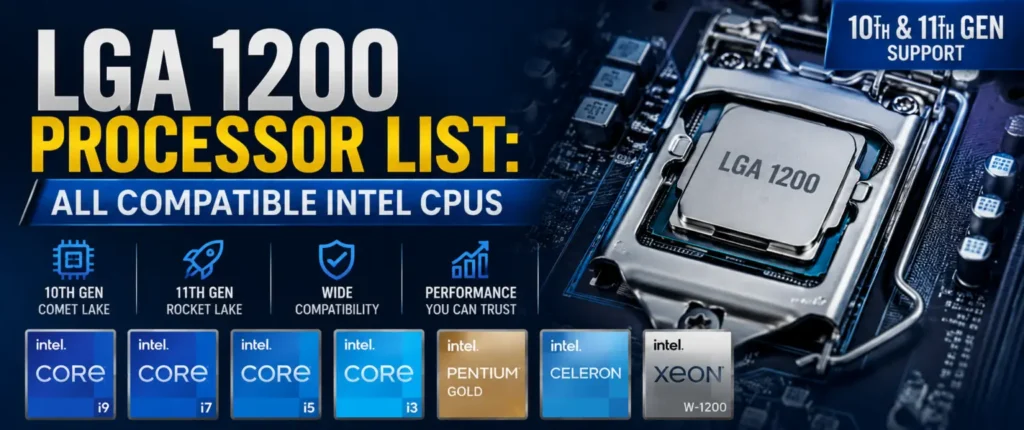
If you’re shopping for a new chip or trying to figure out what will drop into your current motherboard, this LGA 1200 Processor List is the only reference you’ll need. LGA 1200 is the socket behind Intel’s 10th and 11th Gen desktop lineup, and even years after launch it’s still a common upgrade path for budget and mid-range builds. The tricky part is that not every board supports every chip on this socket, and chipset and BIOS version both play a role in what actually works. Below, you’ll find the full LGA 1200 CPU list, chipset breakdowns, DDR4 notes, and honest buying advice for gamers, creators, and everyday users alike.
Quick Answer: Which CPUs Support LGA 1200?
LGA 1200 supports two generations of desktop chips: 10th Gen Comet Lake and 11th Gen Rocket Lake. That covers the full Intel LGA 1200 processor list, including Core i9, i7, i5, i3, Pentium Gold, Celeron, and select Xeon W-1200 workstation processors. Not every board runs every chip, though — motherboard chipset and BIOS version also determine compatibility.
What Is LGA 1200?
Introduced in April 2020, socket H5 (LGA 1200) is the new socket for Intel’s 14nm chips, which is the successor to LGA 1151. It features 1,200 protruding pins on the motherboard side that come into contact with the CPU, and it’s basically the same in appearance as its predecessor, but the pin layout was altered, making it impossible to replace older coolers and chips. This socket was used for the 10th-11th Gen Core family before Intel switched to LGA 1700.
As for memory, LGA 1200 has no support for DDR5; it only supports DDR4. Beginning with 11th Gen chips, PCIe 4.0 will appear, offering the CPUs higher storage and GPU bandwidth than the 10th Gen, which is limited to PCIe 3.0. This is still sufficient for most home offices, average browsing, and mainstream gaming rigs.
LGA 1200 Specifications
| Spec | Details |
|---|---|
| Release Year | 2020 |
| Socket Name | Socket H5 |
| Pin Count | 1,200 |
| Supported Generations | 10th Gen (Comet Lake), 11th Gen (Rocket Lake) |
| Memory Support | DDR4 only |
| PCIe Support | PCIe 3.0 (10th Gen), PCIe 4.0 (11th Gen) |
| Successor | LGA 1700 |
LGA 1200 CPU Compatibility Explained
10th Gen and 11th Gen chips are physically compatible with the same socket, but that doesn’t mean that they will boot out of the box. Some older 400-series boards require a BIOS update to support 11th Gen, and in some instances, low-end boards don’t support 11th Gen.
There, the socket 1200 processor list becomes a bit more complex. 400 series boards (H410, B460, H470, Z490) have been released around 10th Gen and can typically support 11th Gen chips post a firmware update (except for two, which we’ll explain in the chipset section). The 500-series boards (H510, B560, H570, Z590) were designed with 11th Gen in mind, and are compatible with both generations without extra hassle. It’s wise to make sure that your motherboard manufacturer supports the CPU before purchasing one and before updating the BIOS.
Generation Compatibility Overview
| Generation | Codename | Chipset Series | BIOS Update Needed? |
|---|---|---|---|
| 10th Gen | Comet Lake | 400-series, 500-series | No |
| 11th Gen | Rocket Lake | 400-series, 500-series | Often yes (400-series) |
Complete LGA 1200 Processor List
Here’s the full LGA 1200 CPU list, broken down by product tier so you can quickly find where a specific chip lands.
Intel Core i9 Processors
| Model | Generation | Cores/Threads | Base/Boost Clock |
|---|---|---|---|
| Core i9-10900K | 10th Gen | 10/20 | 3.7 / 5.3 GHz |
| Core i9-10900KF | 10th Gen | 10/20 | 3.7 / 5.3 GHz |
| Core i9-10850K | 10th Gen | 10/20 | 3.6 / 5.2 GHz |
| Core i9-11900K | 11th Gen | 8/16 | 3.5 / 5.3 GHz |
| Core i9-11900KF | 11th Gen | 8/16 | 3.5 / 5.3 GHz |
Intel Core i7 Processors
| Model | Generation | Cores/Threads | Base/Boost Clock |
|---|---|---|---|
| Core i7-10700K | 10th Gen | 8/16 | 3.8 / 5.1 GHz |
| Core i7-10700 | 10th Gen | 8/16 | 2.9 / 4.8 GHz |
| Core i7-11700K | 11th Gen | 8/16 | 3.6 / 5.0 GHz |
| Core i7-11700 | 11th Gen | 8/16 | 2.5 / 4.9 GHz |
Intel Core i5 Processors
| Model | Generation | Cores/Threads | Base/Boost Clock |
|---|---|---|---|
| Core i5-10600K | 10th Gen | 6/12 | 4.1 / 4.8 GHz |
| Core i5-10400 | 10th Gen | 6/12 | 2.9 / 4.3 GHz |
| Core i5-11600K | 11th Gen | 6/12 | 3.9 / 4.9 GHz |
| Core i5-11400 | 11th Gen | 6/12 | 2.6 / 4.4 GHz |
Intel Core i3 Processors
| Model | Generation | Cores/Threads | Base/Boost Clock |
|---|---|---|---|
| Core i3-10100 | 10th Gen | 4/8 | 3.6 / 4.3 GHz |
| Core i3-10300 | 10th Gen | 4/8 | 3.7 / 4.4 GHz |
| Core i3-11100 | 11th Gen | 4/8 | 3.6 / 4.3 GHz |
| Core i3-11300T | 11th Gen | 4/8 | 2.4 / 4.1 GHz |
Intel Pentium Gold Processors
| Model | Generation | Cores/Threads | Base Clock |
|---|---|---|---|
| Pentium Gold G6400 | 10th Gen | 2/4 | 4.0 GHz |
| Pentium Gold G6500 | 10th Gen | 2/4 | 4.1 GHz |
| Pentium Gold G6605 | 11th Gen | 2/4 | 4.3 GHz |
Intel Celeron Processors
| Model | Generation | Cores/Threads | Base Clock |
|---|---|---|---|
| Celeron G5900 | 10th Gen | 2/2 | 3.4 GHz |
| Celeron G5905 | 10th Gen | 2/2 | 3.5 GHz |
Intel Xeon Processors
There is also workstation support for the socket 1700 processor list’s predecessor. These Xeon W-1200 series chips (such as the W-1290P and the W-1250) require a W480 or a W580 chipset motherboard to operate, not a standard consumer motherboard. Designed for ECC memory and longevity, not designed for gaming, and they’re generally in small workstations instead of home PCs.
| Model | Generation | Cores/Threads | Chipset Needed |
|---|---|---|---|
| Xeon W-1250 | 10th Gen | 6/12 | W480 |
| Xeon W-1270 | 10th Gen | 8/16 | W480 |
| Xeon W-1290P | 10th Gen | 10/20 | W480 |
| Xeon W-1350 | 11th Gen | 6/12 | W580 |
| Xeon W-1370 | 11th Gen | 8/16 | W580 |
LGA 1200 Chipset Compatibility
The choice of chipset will impact overclocking, PCIe lanes, and which CPU generation your board will support. The 400 series has been introduced with 10th Gen, while the 500 series has been designed for 11th Gen but utilizes 10th Gen chips as well.
400-Series Chipsets
- H410 – Entry-level, no overclocking, limited PCIe lanes.
- B460 – Mainstream option, bshuetter VRMs than H410, no overclocking.
- H470 – Similar tier to B460 with slightly more connectivity.
- Z490 – Enthusiast board with full overclocking support for K-series chips.
500-Series Chipsets
- H510 – Budget board, minimal features, best for Celeron/Pentium builds.
- B560 – Popular mid-range choice, supports memory overclocking.
- H570 – Sits between B560 and Z590 in features.
- Z590 – Top-tier board with full CPU and memory overclocking.
There’s one bit of information to note here – For some reason, 11th Gen Core processors are not supported by B460 and H410 boards, even if the BIOS is updated. To get at least an 11th Gen to a 400-series board, you’ll require at least an H470 or Z490.
Chipset Compatibility Table
| Chipset | Series | 10th Gen Support | 11th Gen Support | Overclocking |
|---|---|---|---|---|
| H410 | 400 | Yes | No | No |
| B460 | 400 | Yes | No | No |
| H470 | 400 | Yes | Yes (BIOS update) | No |
| Z490 | 400 | Yes | Yes (BIOS update) | Yes |
| H510 | 500 | Yes | Yes | No |
| B560 | 500 | Yes | Yes | Memory only |
| H570 | 500 | Yes | Yes | No |
| Z590 | 500 | Yes | Yes | Yes |
10th Gen vs 11th Gen Intel CPUs
Both generations are in the same socket, but there is enough difference in architecture that it will be a build consideration. 10th Gen Comet Lake retains an older 14nm architecture with PCIe 3.0 support, meaning that it focuses on clock speed and core count over all else for the price.
11th Gen Rocket Lake in particular introduced a fresh core architecture, improved instructions per clock performance, and PCIe 4.0 support, but did so using a newer design on an older manufacturing process, thus resulting in little or no increase in power efficiency — and in some instances, a decrease. Overall, 11th Gen chips are slightly superior to 10th Gen at the same number of cores (11 of each, in this case), while 10th Gen offers better value for productivity applications where more cores are better than IPC.
If you’re using an older Intel platform, check our guide to LGA 1150 processors to see which CPUs are compatible with that socket.
Generation Comparison
| Category | 10th Gen (Comet Lake) | 11th Gen (Rocket Lake) |
|---|---|---|
| Architecture | 14nm (refined) | 14nm (backported) |
| PCIe Support | PCIe 3.0 | PCIe 4.0 |
| Gaming Performance | Good | Slightly better |
| Power Efficiency | Better | Slightly worse |
| Max Core Count | 10 cores (i9) | 8 cores (i9) |
Best LGA 1200 Processors for Different Users
Best Overall: Intel Core i7-11700K. Intel Core i7-11700K. This chip delivers potent gaming performance, while also offering plenty of cores to handle productivity applications, and it’s completely unlocked for overclocking on a Z590 motherboard.
Best Gaming: Core i5-11600K. For most gamers, the sweet spot lies between the two, and that is why the i5-11600K is the best for gamers to play with.
Best Productivity: Core i9-10900K: For rendering, compiling, and multitasking-heavy workloads, the Core i9-10900K still proves to be powerful in the hands of Best Productivity.
Best Budget: Core i3-10100. A decent four-core, eight-thread processor for basic computing and light gaming on a budget.
Best Value: Core i5-10400. Suitable for low-priced customers, it’s a good six-core, twelve-thread chip, and it’s easily available in the used market.
Best Creator CPU: Core i9-11900K. This is a good choice for creators who need quick NVMe storage as well as editing applications that can be GPU accelerated.
Should You Buy LGA 1200 in 2026?
LGA 1200 is a discontinued platform, but that doesn’t mean it’s a bad buy — it just depends on your goals. The used and open-box market is flooded with these chips at low prices, which makes this a genuinely smart option for budget builds or office PCs.
Pros
- Affordable CPUs, especially on the used market
- Excellent gaming performance for the price
- Mature, stable DDR4 platform with cheap memory
- Wide motherboard availability
Cons
- No DDR5 support
- Platform is officially discontinued
- No future CPU upgrade path beyond 11th Gen
If you’re building a budget or mid-range gaming PC today and don’t mind buying into an older platform, LGA 1200 still makes sense. If you want years of upgrade headroom, LGA 1700 or newer is the safer long-term choice.
LGA 1200 vs LGA 1700
The direct successor to LGA 1200, LGA 1700 is a much larger change than a typical socket refresh. It offers 3 CPU generations, DDR4 and DDR5 memory support, and PCIe 5.0 support on select lanes, while LGA 1200 is limited to DDR4 and 2 generations of CPU.
When upgrading, if you jump to LGA 1700, you will have a longer timeline between platform changes. However, for some users who are primarily focused on budget rather than performance, minimizing cost is important, and those who already have DDR4 memory will see no significant performance difference by staying within the LGA 1200 socket.
Platform Comparison
| Feature | LGA 1200 | LGA 1700 |
|---|---|---|
| Supported Generations | 10th, 11th Gen | 12th, 13th, 14th Gen |
| Memory Support | DDR4 only | DDR4 or DDR5 |
| PCIe Support | Up to PCIe 4.0 | Up to PCIe 5.0 |
| Gaming Performance | Good | Better |
| Upgrade Path | None (discontinued) | Limited but active |
Common Questions Related to LGA 1200 CPU
What processors fit LGA 1200?
Core i9, i7, i5, i3, Pentium Gold, Celeron, and some Xeon W-1200 processors are supported by LGA 1200. Compatibility with a particular board still depends on the version of the chipset and BIOS.
Does LGA 1200 support 11th Gen CPUs?
Yes, but only on H470, Z490, or any 500-series board. B460 and H410 boards do not support 11th Gen chips, even with a BIOS update.
Is LGA 1200 still good in 2026?
A good budget pick – particularly on the used market – but it’s an older platform that doesn’t support DDR5. If you want to upgrade in the future, you’ll want LGA 1700.
What is the best LGA 1200 processor?
The Core i7-11700K is the best all-around pick, offering strong gaming and productivity performance with full overclocking support on a Z590 board.
Do all LGA 1200 motherboards support every CPU?
No. Support depends on chipset and BIOS version — B460 and H410 boards, for example, cannot run 11th Gen CPUs.
Should I upgrade from LGA 1200 to LGA 1700?
Upgrading to LGA 1700 would be a good idea if you want DDR5 support, PCIe 5.0 support, and newer CPU generations. For the majority of gamers and those who use their PCs for everyday tasks, LGA 1200 is still a good option.
Conclusion
The list of processors in this LGA 1200 Processor List ranges from entry-level Celeron to workstation-class Xeon, but for most builders the Core i7-11700K is the best all-round processor, the Core i5-11600K is the best gaming value and the Core i3-10100 is the budget winner. Even though some people already have DDR4 memory and wish to get some good performance in 2026 without buying a new platform, it’s still a good purchase, but they’ll need to either verify the chipset and BIOS version before investing in a CPU upgrade or just proceed.