
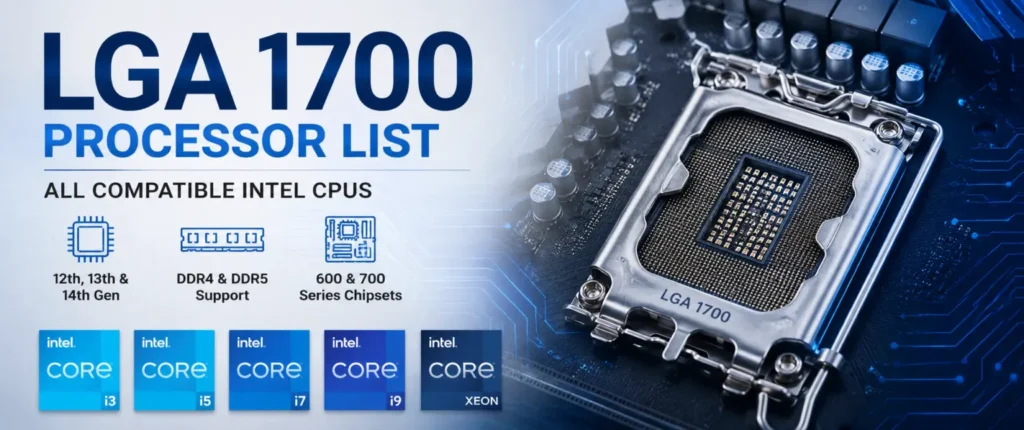
If you’re building a new PC or upgrading an old one, figuring out exactly which chips will fit your board can get confusing fast. This LGA 1700 processor list breaks down every compatible Intel CPU, from budget Celerons to flagship Core i9 chips, so you know exactly what your motherboard can handle before you spend a dollar. We’ll also cover chipset support, BIOS requirements, and whether DDR4 or DDR5 makes more sense for your build.
Quick Answer: Which CPUs Support LGA 1700?
Socket LGA 1700 supports three generations of Intel desktop chips: 12th Gen Alder Lake, 13th Gen Raptor Lake, and 14th Gen Raptor Lake Refresh. That covers everything from entry-level Celeron and Pentium Gold parts up to Core i9 flagships and select Xeon workstation processors. Motherboard chipset and BIOS version also affect compatibility, so it’s worth checking both before buying a chip.
What Is LGA 1700?
The desktop CPU socket that Intel released with its 12th Gen Alder Lake CPUs in late 2021 is called LGA 1700. The socket is not an AMD-style design, in which the number of contact pins is located on the chip, but on the socket itself; in this case, the number of contact pins is 1700. LGA 1700 is taller and slightly rectangular, as compared with the older Intel chips such as LGA 1200, which means that many of the CPU coolers that fit older CPU sockets might require a new mounting bracket to fit properly.
This socket marked the first time in Intel’s history that its hybrid core architecture, which combines Performance-cores (P-cores) with Efficiency-cores (E-cores) for an improved multitasking and power efficiency experience, appeared on the desktop. It additionally added support for next-generation GPUs and storage via PCIe 5.0, in addition to flexible memory support for both DDR4 and DDR5. This pairing is ideal for gamers and content creators alike, ranging from casual gaming setups to high-performance productivity and content-creation environments.
LGA 1700 Specifications
| Spec | Detail |
|---|---|
| Launch Year | 2021 |
| Supported Generations | 12th, 13th, 14th Gen |
| Pin Count | 1700 (socket-side pins) |
| PCIe Support | PCIe 5.0 / PCIe 4.0 |
| Memory Support | DDR4 and DDR5 |
| Max Memory | Up to 128GB (board dependent) |
| Chipsets | 600 Series, 700 Series |
LGA 1700 Processor Compatibility Explained
Although all 3 LGA 1700 generations are physically drop-in compatible with the socket itself, it does not necessarily mean that a chip will boot straight out of the box. As of now, Alder Lake CPUs are supported natively in all the LGA 1700 motherboards. 13th Gen Raptor Lake processors are supported by 700 Series boards natively, though many of the 600.
Intel’s official compatibility guide provides the latest motherboard, chipset, and BIOS requirements for 12th, 13th, and 14th Gen desktop processors.
Series boards may require a BIOS update first. The 14th Gen Raptor Lake Refresh CPUs are no different – they can be supported by both 600 Series and 700 Series boards, but may need a BIOS update if the board was originally supplied with 12th or 13th Gen firmware.
To summarize: The socket is responsible for the physical connection, while the BIOS is responsible for whether or not the chip will boot up. Before buying a socket 1700 processor list candidate for your Upgrade, be sure to consult your motherboard manufacturer’s support page and update the BIOS, preferably while your current CPU is still installed.
If you’re comparing LGA 1700 with the previous Intel platform, see our LGA 1200 processor list for 10th and 11th Gen CPU compatibility.
CPU Generation Compatibility
| Generation | Native Support | BIOS Update Needed On |
|---|---|---|
| 12th Gen Alder Lake | All LGA 1700 boards | Rarely needed |
| 13th Gen Raptor Lake | 700 Series boards | Older 600 Series boards |
| 14th Gen Raptor Lake Refresh | Newer 600/700 Series boards | Boards shipped before 2023 |
Complete LGA 1700 Processor List
This is the core of our Intel LGA 1700 processor list – all major desktop generations of Intel processors for this socket are sorted by product family, and you can easily find the Intel processors you can afford for your needs.
Intel Core i9
| Model | Generation | Cores (P+E) | Base Clock | Max Turbo |
|---|---|---|---|---|
| Core i9-12900K/KS | 12th Gen | 8+8 | 3.2 GHz | 5.2 GHz |
| Core i9-13900K/KS | 13th Gen | 8+16 | 3.0 GHz | 5.8 GHz |
| Core i9-14900K/KS | 14th Gen | 8+16 | 3.2 GHz | 6.0 GHz |
Intel Core i7
| Model | Generation | Cores (P+E) | Base Clock | Max Turbo |
|---|---|---|---|---|
| Core i7-12700K | 12th Gen | 8+4 | 3.6 GHz | 5.0 GHz |
| Core i7-13700K | 13th Gen | 8+8 | 3.4 GHz | 5.4 GHz |
| Core i7-14700K | 14th Gen | 8+12 | 3.4 GHz | 5.6 GHz |
Intel Core i5
| Model | Generation | Cores (P+E) | Base Clock | Max Turbo |
|---|---|---|---|---|
| Core i5-12600K | 12th Gen | 6+4 | 3.7 GHz | 4.9 GHz |
| Core i5-13600K | 13th Gen | 6+8 | 3.5 GHz | 5.1 GHz |
| Core i5-14600K | 14th Gen | 6+8 | 3.5 GHz | 5.3 GHz |
Intel Core i3
| Model | Generation | Cores | Base Clock | Max Turbo |
|---|---|---|---|---|
| Core i3-12100 | 12th Gen | 4 | 3.3 GHz | 4.3 GHz |
| Core i3-13100 | 13th Gen | 4 | 3.4 GHz | 4.5 GHz |
| Core i3-14100 | 14th Gen | 4 | 3.5 GHz | 4.7 GHz |
Intel Pentium Gold and Celeron
| Model | Generation | Cores | Use Case |
|---|---|---|---|
| Pentium Gold G7400 | 12th Gen | 2 | Budget office builds |
| Pentium Gold G7400/G6900 series | 12th/13th Gen | 2 | Light multitasking |
| Celeron G6900 | 12th Gen | 2 | Entry-level desktops |
Intel Xeon (Workstation Compatibility)
The Xeon E-series processors also have the LGA 1700 socket, but are almost exclusively used with the W680 lines of workstation chipsets, not consumer boards. They are designed for small business servers and ECC memory support, not for games.
| Model | Chipset Pairing | Use Case |
|---|---|---|
| Xeon E-2400 series | W680 | Workstation/server tasks |
LGA 1700 Chipset Compatibility
What features you’ll enjoy accessing will depend on your chipset, not whether your CPU will start up. The H610 is the most basic of 600 Series boards, comes with lesser memory speeds and no overclocking facility. The B660 takes it up a notch with enhanced memory support and an increased number of USB and storage ports, with the H670 falling somewhere between B and Z. The enthusiast 600 Series chipset Z690 supports both full CPU and memory overclocking.
On the 700 Series side, the mainstream successor is B760, the mid-range option is H770, and the flagship overclocking chipset most commonly paired with K-series Core i7 and i9 chips is Z790. When using an H610 and early B660 boards with a 14th Generation chipset, you should always check if there is a BIOS update for it — most boards of this type require one.
LGA 1700 Chipset Compatibility
| Chipset | Series | Overclocking | Best For |
|---|---|---|---|
| H610 | 600 | No | Budget builds |
| B660 | 600 | No | Mainstream builds |
| H670 | 600 | No | Balanced mid-range |
| Z690 | 600 | Yes | Enthusiast/gaming |
| B760 | 700 | No | Mainstream builds |
| H770 | 700 | No | Balanced mid-range |
| Z790 | 700 | Yes | Enthusiast/gaming |
DDR4 vs DDR5: Which Memory Should You Choose?
One of the main benefits of LGA 1700 is that most boards offer the choice between DDR4 and DDR5, and the right choice really does depend on your budget and goals. . For gamers and those looking to use the memory in their systems for regular tasks, DDR4 is an excellent option as it offers a better price. DDR5 is designed to provide greater bandwidth and performance for memory-intensive tasks such as video editing, 3D rendering, and certain newer video games.
If the future is important to you, opt for DDR5 as it will become the standard on newer platforms. If you just want strong price-to-performance today, then DDR4 boards are a fine option for LGA 1700 – you won’t be missing out on much when it comes to gaming performance.
DDR4 vs DDR5 Comparison
| Factor | DDR4 | DDR5 |
|---|---|---|
| Cost | Lower | Higher |
| Gaming Performance | Very good | Slightly better |
| Productivity Performance | Good | Better |
| Upgrade Path | Limited | Longer-term |
| Future-Proofing | Weaker | Stronger |
Best LGA 1700 CPUs for Different Users
The selection of the best LGA 1700 processor depends on the purpose for which the processor is being used. We would do it this way:
Best Overall: The Core i5-13600K is the easiest to recommend for most builds, as it strikes a sweet balance of great gaming support, efficient multi-threaded performance, and affordability.
Best Gaming: The Core i5-14600K outperforms its predecessor in terms of clock speed, but it also holds its own in most games at a much lower price tag compared to alternative, more expensive options.
Best Productivity: The new Core i7-14700K comes with additional E-cores, which means it’s a definite boost for encoding, rendering, and multitasking tasks.
Best Budget: The Core i3-13100 is a reliable 4-core chip for work and light gaming at a very affordable cost.
Best Value: The Core i5-12600K is still a great value for money compared to the newer chips, particularly at the lower price point that has dropped since the 12th Gen release.
Best Creator CPU: If you’re mainly focused on creative tasks like rendering, streaming, or multitasking in creative software, the Core i9-14900K is the clear choice due to its powerful cores and clock speeds.
Should You Buy LGA 1700 in 2026?
LGA 1700 is now a mature platform, and that comes with real trade-offs worth weighing before you buy.
Pros:
- Excellent gaming performance across all three CPU generations
- Native DDR5 support for higher-bandwidth workloads
- PCIe 5.0 for next-gen GPUs and storage
- One of the largest CPU selections of any recent Intel socket
Cons:
- No future CPU generations planned for this socket
- You’re buying at the end of the platform’s lifecycle
For most people building a budget-to-mid-range PC today, LGA 1700 is still a smart buy — you get proven performance, wide motherboard availability, and often steep discounts on 12th and 13th Gen chips. If you specifically want years of future CPU upgrades on the same board, though, it’s worth looking at Intel’s newer socket instead.
If you’re comparing LGA 1700 with older Intel platforms, our guide to the LGA 1150 processor list provides a useful overview of compatible CPUs from that generation.
LGA 1700 vs LGA 1851
This is Intel’s new desktop socket, LGA 1851, and the two platforms have different priorities. LGA 1700 is compatible with 3 generations of CPUs (12th, 13th, 14th Gen) and offers you a choice between DDR4 and DDR5, which ensures that you won’t end up spending more than necessary. LGA 1851 eliminates support for DDR4, opting for DDR5 everywhere, and is designed to support Intel’s latest CPU architecture, allowing it to have a longer life cycle.
For PCIe, both feature PCIe 5.0 support, which is not a big factor. The actual upgrade point is the fact that LGA 1700 is basically “finished” as a platform, while LGA 1851 is just starting, which should allow for new CPUs to come out for longer.
LGA 1700 vs LGA 1851
| Factor | LGA 1700 | LGA 1851 |
|---|---|---|
| Supported Generations | 12th, 13th, 14th Gen | Newer Intel Core architecture |
| Memory | DDR4 and DDR5 | DDR5 only |
| PCIe | PCIe 5.0 | PCIe 5.0 |
| Upgrade Path | Ending | Ongoing |
| Future-Proofing | Limited | Stronger |
Common Questions Related To LGA 1700
What processors fit LGA 1700?
LGA 1700 fits Intel’s 12th Gen Alder Lake, 13th Gen Raptor Lake, and 14th Gen Raptor Lake Refresh desktop CPUs, spanning Celeron and Pentium Gold up through Core i9 and select Xeon models.
Is LGA 1700 compatible with 12th, 13th, and 14th Gen CPUs?
Yes. All three generations are physically compatible with the socket, though 13th and 14th Gen chips may require a BIOS update on older 600 Series motherboards.
Is LGA 1700 still worth buying in 2026?
It can be, especially for budget and mid-range builds, since pricing has dropped and performance remains strong. Just keep in mind there are no future CPU generations planned for this socket.
Does LGA 1700 support DDR5?
Yes, most LGA 1700 motherboards support DDR5 memory, offering higher bandwidth for demanding productivity and creative workloads.
Can LGA 1700 use DDR4?
Yes, many LGA 1700 boards also support DDR4, which is a more budget-friendly option that still performs well for gaming and everyday tasks.
What is the best LGA 1700 CPU?
For most users, the Core i5-13600K or Core i5-14600K offer the best balance of gaming performance, productivity power, and price.
Conclusion
This LGA 1700 processor list covers everything from budget Celerons to flagship Core i9 chips across three full CPU generations. The Core i5-13600K is the best overall processor, the Core i5-14600K is the highest-performing gaming processor, and the Core i3-13100 is the most efficient on the budget end. When upgrading an existing board, all you have to do is check whether your BIOS is up to date and that your chipset supports the generation you intend to purchase. LGA 1700 is still a fairly decent board upon which to build or upgrade in 2026.