





Storage Devices
-
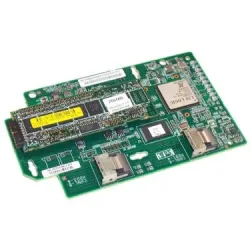
398638-001 - HP Smart Array P400i Controller Battery
SKU: 398638-001
Brand: HP
$226.91Savings:0.00 -
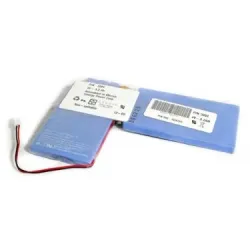
24P8062-U - IBM 1722-60U Cache Battery for DS4100
SKU: 24P8062-U
Brand: IBM
$663.19Savings:0.00 -

22R6833 - IBM Battery Backup BladeCenter SAS RAID
SKU: 22R6833
Brand: IBM
$1,706.15Savings:0.00 -
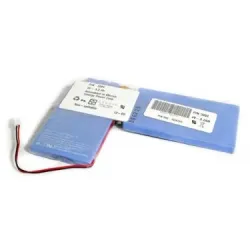
24P8062OEM - IBM 1722-60U Cache Battery for DS4100
SKU: 24P8062OEM
Brand: IBM
$686.67Savings:0.00 -

FRU24P8062 - IBM 1722-60U Cache Battery for DS4100
SKU: FRU24P8062
Brand: IBM
$587.23Savings:0.00 -
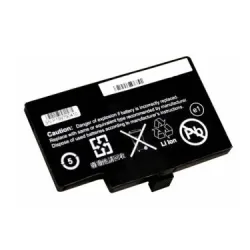
46M2981 - IBM RAID Controller Battery for ServeRAID MR10i
SKU: 46M2981
Brand: IBM
$239.00Savings:0.00 -

0U8735 - Dell PERC 5i 6i RAID Battery for PowerEdge 2950 2970
SKU: 0U8735
Brand: Dell
$103.50Savings:0.00 -
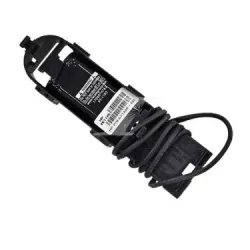
587324-001 - HP Flash Backed Write Cache (FBWC) Capacitor Pack
SKU: 587324-001
Brand: HP
$70.20Savings:0.00 -
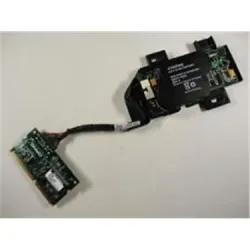
316097-001 - HP Battery-backed Write Cache Enabler
SKU: 316097-001
Brand: HP
$70.37Savings:0.00

Featured Products
Buy Storage Devices for Secure Data Management
Buy storage devices that align with modern data demands through BulkDevices, where reliability meets scalable performance. Storage devices are essential in an era of rapid data expansion for both enterprise and consumer users. Whether you are managing archival storage or building high-performance computers, new storage devices guarantee business continuity, availability, and protection of data. A robust interplay of reliability, performance, and affordability is needed, whether on the enterprise or consumer front, as we transition into a data-centric world.Comprehensive Computer Storage Solutions for Business
The current IT environments require custom computer storage solutions and not generic hardware. The Organizations should consider the performance requirements, compliance needs, and scalability before choosing infrastructure. Storage diversity is essential from magnetic tape systems in regulatory archiving to the high-speed NVMe drives in analytics platforms.Internal Storage is the heart of any system. These base components underpin operating systems for mission-critical applications. Good quality business storage devices will guarantee continuous business processes, data redundancy, and resource allocation efficiency. It is in the best interests of businesses to have strategic storage planning, whether dealing with structured databases or with unstructured multimedia information that meets not only the current workloads but also future growth.
Selecting Enterprise Storage Hardware and High Performance Drives
- High RPM SAS-based server hard drive units are highly sought after in server hard drive settings to operate continuously, withstand vibration, and support sustained throughput in demanding data centers with heavy read/write processes daily.
- SATA and M.2 desktop hard drive and laptop hard drive are often used to improve desktop and laptop upgrades, increasing system performance, loading time, and multitasking without the need to purchase new hardware.
- Solid-state drives are preferred by users who need speed, and therefore they are considered to be silent; they have high data access speed and consume less power than mechanical drives, hence they are an ideal choice to use in a high-performance storage system.
- Special printers, such as enterprise printers, may be supported by a printer hard drive, which may be programmed with the correct firmware and incorporated into the office architecture, thus guaranteeing the safety of data and a smoothly running job processing.
Top Brands: Seagate, Western Digital, Toshiba, Samsung, and Hitachi Storage Drives
The storage industry is dominated by a few key players, each with its own strengths. The "Big Two" of Seagate storage devices and Western Digital storage provide a comprehensive line of products for network-attached storage (NAS), servers, and high-capacity storage. Their scalable offerings range from small business backups to hyperscale computing.In the realm of flash storage, Samsung storage devices dominate with their cutting-edge solid-state drives (SSDs) and non-volatile memory express (NVMe) solutions. Samsung drives are renowned for speed and reliability, and are commonly found in gaming and multimedia systems and high-performance computing.
On the other hand, Toshiba storage drives and Hitachi storage drives (HGST) are known for their rugged durability. These manufacturers are found in large data centers and cloud storage applications for their ruggedness, reliability, and low error rates. These brands are utilized in large data centers and cloud storage applications for their ruggedness, reliability, and low error rates.
Understanding Form Factors: 3.5" vs 2.5" vs M.2
Form factors influence performance and compatibility. Desktop PCs and servers have 3.5-inch drives, which offer the highest storage capacity and the lowest cost per gigabyte to store massive data.Conversely, 2.5-inch drives are smaller, more flexible, and can fit easily into laptops and SSD slots, as well as being a compromise between size and speed. The latest drives are non-cabled M.2, which are mounted on the motherboard. Their small size and high throughput speeds are ideal in those systems where performance and space efficiency are crucial.
(FAQs)
What is the difference between SAS and SATA?SATA is very common with consumer systems because it is cheap and can perform adequately with daily tasks. It works in unidirectional communication. SAS, on the other hand, is tailored to enterprise systems, with higher speeds, dual-channel communications, and high reliability to mission-critical applications.
Can I put a server hard drive in a desktop PC?
In most cases, no. Server drives typically use SAS interfaces, which are incompatible with standard desktop motherboards. Additionally, they are designed for data centers, meaning they can generate more noise and heat than typical consumer-grade drives.
How long do storage devices last?
The lifetime differs depending on the technology. Conventional hard drives have a typical life span of three to five years when used under normal conditions. The lifespan of solid-state drives is five to ten years, depending on write cycles, in terms of terabytes written (TBW), and workload density.