





Server Hard Drive
-
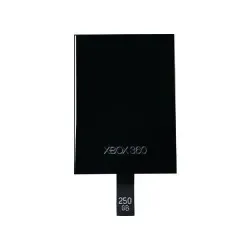
NTF-00001 - Microsoft 250GB External Hard Drive for Xbox 360AC
SKU: NTF-00001
Brand: Microsoft
Savings:0.00 -
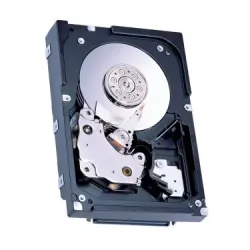
e210usf4au1465 - Fujitsu 146GB 15000RPM 3.5-inch Hard Drive
SKU: e210usf4au1465
Brand: Fujitsu
$365.75Savings:0.00 -
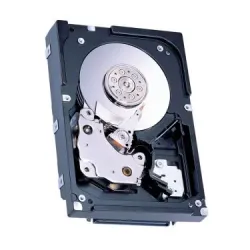
e220usf4au735 - Fujitsu 73GB 15000RPM 4Gb/s 3.5-inch Hard Drive
SKU: e220usf4au735
Brand: Fujitsu
$240.21Savings:0.00 -
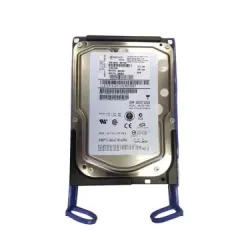
39R7360 - IBM 73GB 15000RPM SAS 3s 3.5-inc Hard Drive
SKU: 39R7360
Brand: IBM
$103.50Savings:0.00 -
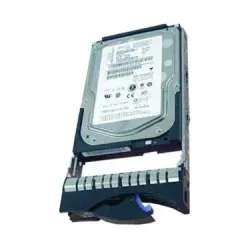
26K5245 - IBM 73.4GB 15000RPM Ultra-320 SCSI IBM Hard Drive
SKU: 26K5245
Brand: IBM
$121.10Savings:0.00 -
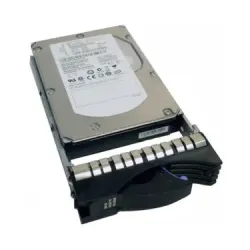
03N5288 - IBM 146GB 15000RPM Hot Swapable 3.5-inc Hard Drive
SKU: 03N5288
Brand: IBM
$210.00Savings:0.00 -
03n5285 - IBM 146.8GB 15000RPM SCSI 320MB/s 3.5-in Hard Drive
SKU: 03n5285
Brand: IBM
$117.40Savings:0.00 -
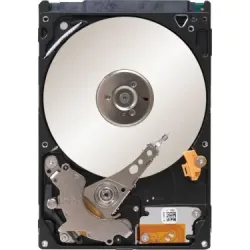
9FY152-176 - Seagate 7200 160GB 7200RPM 3s 32.5-inch Hard Drive
SKU: 9FY152-176
Brand: Seagate
$349.53Savings:0.00 -
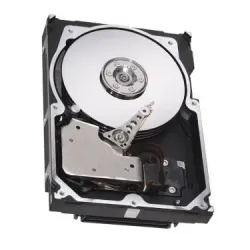
0R5F1P - Dell 300GB 15000RPM SAS 3.5-inch Hard Drive
SKU: 0R5F1P
Brand: Dell
$107.35Savings:0.00

Featured Products
Buy Server Hard Drives for Mission-Critical Reliability
Buy server hard drives from BulkDevices when uptime is non-negotiable, and infrastructure stability directly impacts business continuity. The data center works 24 hours, and a single drive failure can cause an expensive downtime or loss of data. In contrast to consumer-grade storage, server hard disk drives are designed to sustain an active 24/7 load, greater vibration tolerance, and high endurance. Companies that are dependent on critical applications, cloud hosting, or enterprise databases require resilient built-in storage. The use of purpose-built hardware guarantees predictable performance at peak load and durability in the long-term.Why Choose Enterprise Server Drives Over Desktop HDDs?
While standard Internal Storage is fine for PCs, servers demand specialized hardware. The desktop hard drives are usually designed to last approximately 8 hours of usage per day, thus unsuitable for enterprise workloads. Enterprise server drives, on the other hand, are designed to work 8760 hours per year with continuous operations in demanding environments.The introduction of Rotational Vibration (RV) sensors is one of the distinguishing features. These sensors bring about stability of the read/write head of the drive in the racks of servers, densely packed, with cooling fans and more than one drive. In a multi-drive environment, without RV compensation, there is a significant deterioration of performance. Enterprise drives are also characterized by improved firmware, improved error correction, and increased workload rating, which makes them a safe bet when it comes to data-intensive applications where consistency is a priority.
Selecting High-Capacity Server Drives and Performance
- The 10k rpm hard drive server offers high-performance in mission-critical applications. Its low latency and large random IOPS are good in databases, virtualization, and transactional workloads that need high and steady response times.
- High-capacity server drives are designed to support bulk storage, with up to 22TB per drive. They are widely applicable in backups, media archives, and surveillance systems where the cost per terabyte is higher than the speed.
- The SAS server hard disk is unique in that it was designed as a full duplex or read-write disk. This renders it better in enterprise workloads as opposed to the SATA drives, which use half-duplex communication.
Top Brands: Seagate, WD, Toshiba, Hitachi, and Samsung
Enterprise storage is controlled by a few reputable manufacturers who are innovative and reliable. Cloud giants such as Amazon and Google rely on the Seagate server hard drive line, such as the Exos and Nytro series, in hyperscale deployments. Similarly, the Western Digital server drive with the Gold and Ultrastar models drives large-scale data centers, which are run by the global cloud providers.The Toshiba server hard drive and Hitachi server drive (HGST) have earned a reputation as the legends of reliability. Their performance is always shown to have low failure rates in independent studies, hence they are always good choice when it comes to businesses that want to focus on durability and long-term performance.
In the meantime, the Samsung enterprise server drive category(which mainly deals with SSD technology) tops the performance-driven applications. The drives are frequently used in cache layers and all-flash arrays, where very high data access speed is a must. These brands collectively provide a holistic ecosystem to meet various storage requirements of the enterprise.
Hot-Swap Caddies and Compatibility
Hard drives in servers are commonly installed in hot-swap caddies or trays, such as those used with Dell PowerEdge or HP ProLiant. With these trays, drives can be changed without taking the server offline, which reduces the time spent on server maintenance or upgrades. It is important to ensure that the drive comes with a compatible caddy before buying it. In most instances, users will have to move an older tray in a drive. The compatibility with the server model is important because the incompatibility between the trays can lead to the inability to install or match the airflow. The precise fit would ensure the efficiency and cooling of the systemFrequently Asked Questions (FAQs)
Can I put a SAS drive in a standard PC?No, you cannot directly use a SAS drive in a typical desktop PC. Although the connectors may look similar to SATA, SAS drives require specialized controllers. To use them, you need a dedicated RAID card or Host Bus Adapter (HBA) that supports SAS communication protocols.
What is MTBF?
MTBF stands for Mean Time Between Failures, a statistical measure used to estimate drive reliability. Enterprise drives often feature ratings of up to 2.5 million hours MTBF. This does not mean a drive will last that long, but it reflects reliability across large deployments.
Is "Refurbished" safe for servers?
Yes, refurbished drives can be a reliable option when sourced from trusted suppliers. Enterprise drives are designed for long lifespans, often exceeding a decade. Certified refurbished units undergo testing and include warranties, making them suitable for RAID arrays and cost-effective redundancy planning.