





Laptop Hard Drive
-

C7444-67214 - HP 30GB 5400RPM IDE 2.5-inch Hard Drive
SKU: C7444-67214
Brand: HP
$382.28Savings:0.00 -
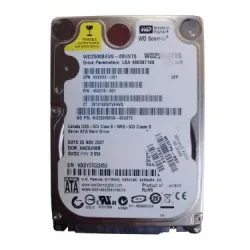
455019-001-2 - HP 250GB 5400RPM SATA 1.5GB/s 2.5-inc Hard Drive
SKU: 455019-001-2
Brand: HP
$110.00Savings:0.00 -
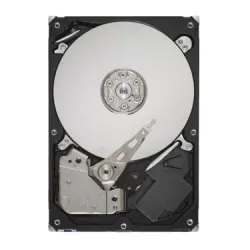
24P3879 - IBM 40GB 5400RPM IDE 2.5-inch Hard Drive
SKU: 24P3879
Brand: IBM
$135.10Savings:0.00 -
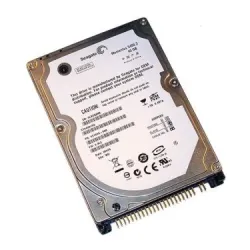
0950-4310 - HP 20GB 4200RPM ATA-100 2.5-inch Hard Drive
SKU: 0950-4310
Brand: HP
$210.59Savings:0.00 -
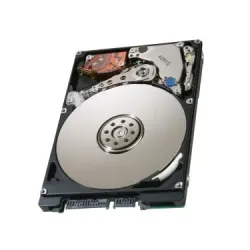
430120-001 - HP 60GB 5400RPM SATA 1.5Gb/s 2.5-inch Hard Drive
SKU: 430120-001
Brand: HP
$121.55Savings:0.00 -
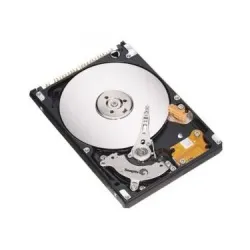
ST9160824AS - Seagate 160GB 5400RPM 2.5-inch Hard Drive
SKU: ST9160824AS
Brand: Seagate
$206.03Savings:0.00 -
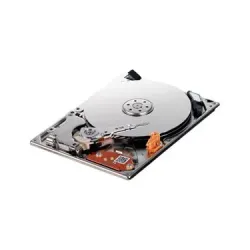
HS082HB - Samsung Spinpoint N2 80GB 4200RPM 1.8-inc Hard Drive
SKU: HS082HB
Brand: Samsung
$137.89Savings:0.00 -

331415-454 - HP 30GB 4200RPM Ultra ATA-100 2.5-inch Hard Drive
SKU: 331415-454
Brand: HP
$170.68Savings:0.00 -

331415-468 - HP 30GB 4200RPM Ultra ATA-100 2.5-inch Hard Drive
SKU: 331415-468
Brand: HP
Savings:0.00

Featured Products
Buy Laptop Hard Drives to Upgrade Notebook Storage
Buy laptop hard drives from BulkDevices to solve common storage issues without replacing your entire machine. From unexpected storage failure on the road to simply running out of room, replacing the internal laptop drive in your laptop is an ideal solution. Today's laptops have a compact internal profile, so compatibility is essential. BulkDevices provides perfectly sized 2.5-inch drives that seamlessly integrate into the tight spaces of laptops for optimal performance and storage expansion for personal and commercial applications.Replacing Your Laptop Hard Drives vs. Buying New
Replacing a laptop is an expensive choice, but upgrading is more cost-effective. New laptop hard drives are much cheaper to replace than a new laptop, particularly if your other components are still in good condition. Typically, performance-related problems such as slow boot times and corrupt files are a result of bad drives, not system problems.
Another advantage is efficiency. Laptop drives are designed to use less power and be quieter, which helps to extend battery life without sacrificing performance. They are therefore perfect for portable devices. Rather than buying new, you can extend the life of your laptop and bring it back to life. We provide a range of internal storage to restore old equipment and prolong its life, without the need for costly replacements.
Selecting High-Performance Laptop Storage
When it comes to choosing a drive, storage capacity, and power consumption based on your usage needs.
- An energy-efficient, low-noise, and heat-resistant 5400 RPM SATA laptop HDD is ideal for storing movies, documents, and large media collections, as it consumes low power, resulting in good battery life.
- Faster, high-performance laptop storage (7200 RPM) provides faster loading times for booting the system and applications, and is suitable for power users, multitaskers, and professional users who need speed at the cost of some additional power usage.
- The thickness of a notebook storage drive matters too, with new ultrabooks supporting thin 7mm drives and older laptops possibly supporting 9.5mm drives; this must be taken into account when installing a new drive to ensure compatibility.
It's important to consider specifications to avoid wasting power and performance. This understanding will enable laptop users to upgrade their laptop drives accurately to suit performance and physical requirements.
Top Brands: Seagate, WD, Toshiba, Hitachi, and Samsung
Major companies have developed tailored product ranges to meet various laptop storage needs. Seagate laptop hard drive lineup, such as BarraCuda and FireCuda, offers a good combination of storage capacity and performance, making it ideal for everyday computing and gaming. Likewise, the Western Digital laptop drives (Blue and Black series) are trusted choices for both everyday use and demanding tasks.
At the same time, "old" brands still have a place in rugged computing. Toshiba laptop hard drives and Hitachi laptop hard drives (Travelstar series) are well known for their durability, making them trusted options for older enterprise laptops such as ThinkPads and Latitudes, where reliability is key.
Behind the scenes, the Samsung laptop drive series started with quiet and efficient operation, and eventually became a major player in SSDs. Together, these manufacturers offer an extensive range of options, meeting the needs of all laptop upgrades.
Understanding 2.5-inch vs. M.2 Slots
To ensure compatibility, it's crucial to know the type of storage interface your laptop uses. Older models of laptop computers feature 2.5-inch drives that are connected by a SATA cable and seated within a cage. These are the most popular and versatile upgrade choices.
However, more recent laptops have tiny M.2 slots designed to accommodate slim, stick-shaped drives. These are quicker and take up less space, but cannot be used with 2.5-inch drives. To ensure compatibility, consult your laptop manual or physically inspect your laptop for drive details.
Frequently Asked Questions (FAQs)
Will a desktop hard drive fit in my laptop?No, desktop hard drives are 3.5 inches, which means they simply won't fit in a laptop. This is because laptops are designed to use 2.5-inch drives or M.2 modules, which can properly fit and be compatible with the small internal environment of the laptop.
How do I transfer my data to the new drive?
You'll need a USB to SATA adapter and cloning software. Plug the new drive into the computer via a USB to SATA adapter, clone all of your data from the old drive, then swap the old drive for the new drive.
Does a faster hard drive drain more battery?
Yes, slightly. A speedier 7200 RPM drive will use more power than a slower 5400 RPM drive. But installing an SSD will help conserve battery life as it uses less power with no moving parts.