





Network Products
-
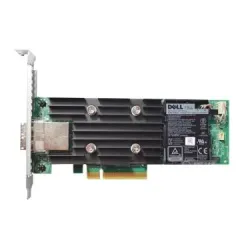
70RV1 - Dell Perc H840 Low Profile RAID Adapter
SKU: 70RV1
Brand: Dell
$590.00Savings:0.00 -
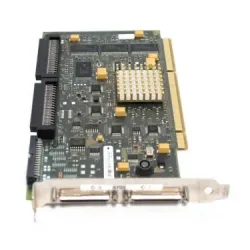
42R4862 - IBM Dual Channel PCI X DDR Ultra320 SCSI Adapter
SKU: 42R4862
Brand: IBM
$73.88Savings:0.00 -
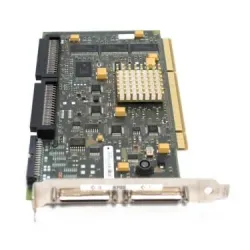
42R8738 - IBM PCI-X DDR Dual Channel Ultra320 SCSI Adapter
SKU: 42R8738
Brand: IBM
$100.67Savings:0.00 -
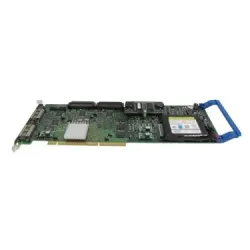
39J5026 - IBM PCI-X DDR Dual Channel Ultra320 SCSI RAID Adapter
SKU: 39J5026
Brand: IBM
$329.50Savings:0.00 -
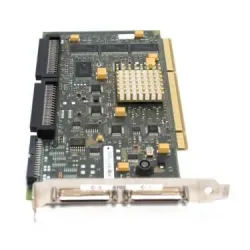
39J5022 - IBM Ultra-320 SCSI Dual-Channel PCI-Express Adapter
SKU: 39J5022
Brand: IBM
$99.00Savings:0.00 -
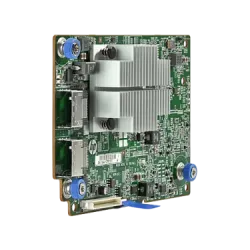
726759-001 - HP 12Gb/s 2-Port Host Bus Adapter
SKU: 726759-001
Brand: HP
$240.84Savings:0.00 -

00W0037 - IBM Mellanox Connect-X 1-Port 100Base-T Server Adapter
SKU: 00W0037
Brand: IBM
$216.63Savings:0.00 -

73P3984 - IBM Topspin InfiniBand 10s PCI-Express Adapter
SKU: 73P3984
Brand: IBM
$118.82Savings:0.00 -

441448-001 - HP Ieee 1394 2-Port PCI Firewire Interface Card
SKU: 441448-001
Brand: HP
$86.00Savings:0.00

Featured Products


Buy Networking Devices for Seamless Enterprise Connectivity
When you buy networking devices from BulkDevices, you are investing in the stability of your entire infrastructure. A modern business needs not only a central router but also specialized equipment to connect legacy systems to high-performance standards. We have the necessary glue parts, such as signal converters to interface cards, to make your data flow. Browse our list of networking solutions to address physical-layer issues for IT professionals.Essential Network Hardware for Modern Offices
Network hardware in this category focuses on the physical tools required to connect endpoints to your Local or Wide Area Network. While switches manage traffic, these specific components handle the signal conversion and interface upgrades necessary for compatibility. Whether you are converting a fiber optic signal to copper or assigning a network devices address to a legacy printer, these devices solve specific physical layer problems. This collection of office networking devices ensures that no device is left behind due to outdated ports or incompatible cabling standards.Optimizing Connectivity with Commercial Network Devices
The variety of specialized tools available today allows network architects to solve distance, speed, and compatibility issues without replacing entire infrastructures. Commercial network devices provide specific solutions to the most common bottlenecks, such as interface upgrades, signal conversion, and so on, instead of having to supplement hardware upgrades that are expensive.- Speed Upgrades (NICs): Use Gigabit or 10G cards to upgrade older workstations to support high-speed file transfers and video conferencing without stutter due to bandwidth limitations, extending the lifespan of already acquired desktop hardware.
- Mid-Market: SMEs require scalable solutions, which have cloud-based management capabilities, enabling them to add networks, devices, and sustain performance without significant changes to the infrastructure.
- Resource Sharing (Print Servers): Use standalone USB devices such as printers or external hard drives as a shared network resource that can be accessed by the entire team without having a specific host PC.
Top Brands: Cisco, Juniper, Ubiquiti, TP-Link, and Netgear
We choose vendors according to their particular ecosystem capabilities. The Cisco networking products and Juniper networking devices are the Core Integrators, which provide specialized modules and adapters that provide zero-downtime stability in the mission-critical data centers. These enterprise-grade components are extensively tested to ensure smooth interoperability with the existing core infrastructure and are therefore the choice of financial institutions and healthcare networks.For modern enterprises, Ubiquiti networking hardware represents the "Software-Defined" choice, allowing sleek, unified management of peripheral devices via a single intuitive interface. Their ecosystem thrives on centralized control, reducing administrative overhead while maintaining robust security protocols across distributed locations.
Finally, TP-Link network devices and Netgear networking products are the Accessibility Champions, providing affordable, plug-and-play solutions for SMBs requiring immediate fixes for office connectivity without complex licensing. These brands excel at delivering reliable performance out of the box, making them ideal for rapid deployments, temporary workspaces, or expanding branch offices where budget efficiency matters as much as technical capability. Together, these four tiers cover every networking need from backbone to endpoint.
Server Room Management and Expansion
With larger networks, it becomes more complicated to maintain numerous systems within a server room. Good organization is useful in ensuring efficiency and minimizing downtime. IT teams can be able to manage various devices using one console with tools such as KVM switches, which are beneficial in managing and simplifying the process. Moreover, switch modules can allow businesses to scale their network capacity and upgrade without changing their systems, thereby making it a more affordable option when it comes to scaling infrastructure.Specialized Solutions: WAN Adapters and Print Servers
Connection sometimes needs niche protocols. You may be required to communicate with a certain Wide Area Network circuit or even share a plotter of yesteryear. These special boxes help you to save on purchasing a new set of equipment altogether since they convert what you already have. Connect to special external networks with our variety of WAN adapters, which are used to support non-standard serial connections. Likewise, make any USB printer a shared office item using network print servers to essentially avoid host-based printing and decrease workstation dependency.(FAQs)
What is a media converter used for?It converts signals between two different physical media types. The most common use is connecting a fiber optic cable (long distance) to a copper Ethernet port (standard devices), effectively extending your network reach beyond the 100-meter copper limit.
Do I need a print server if my printer has Wi-Fi?
No. Print servers are specifically designed for older printers that only have USB or Parallel ports. If your printer has native Wi-Fi or Ethernet, it already contains a built-in print server. External servers are for retrofitting legacy hardware.
Can I add a network card to a laptop?
For modern ultrabooks, you typically use a USB network adapter. However, for desktop workstations or servers, you can install an internal PCI-Express Network Interface Card (NIC) to achieve lower latency and higher throughput than USB alternatives.