
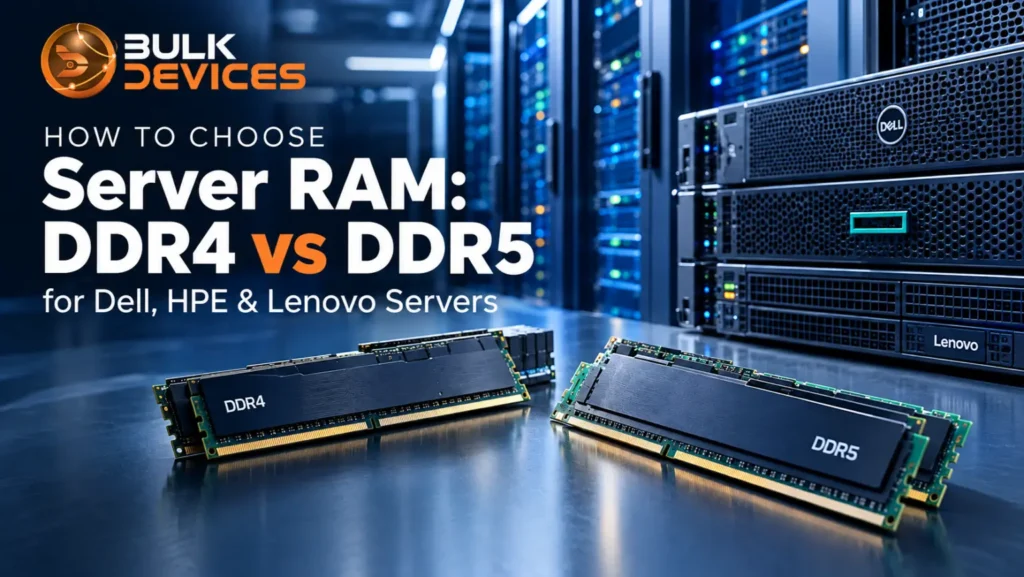
Choosing RAM for a server is a little different from buying memory for a regular PC. You cannot simply look at the amount of RAM you want and order it. The server has to support the right memory type, speed, and configuration. If those details do not match, the module may not work in the system at all. This is particularly important now that many newer servers use DDR5 while a large number of existing machines still use DDR4.
In this guide, we will look at the practical differences between server RAM DDR4 vs DDR5, then go through the other things that matter when you are checking compatibility. That includes ECC, RDIMM and LRDIMM, memory capacity, and speed. If you are buying parts for server systems, checking these points before ordering can save you from buying the wrong DIMM.
What Is Server RAM, and Why Isn’t It the Same as Desktop RAM?
Server RAM can look almost the same as desktop memory, but it is made for a different type of system. A server may stay running for long periods and can handle important applications and data. Memory errors therefore need to be dealt with as part of the system’s design. This is why server memory commonly uses ECC (Error-Correcting Code). ECC can detect and correct certain memory errors and can help prevent an error from turning into a larger problem.
You will also come across server-specific memory types such as RDIMM and LRDIMM. These modules are designed for server platforms and their memory controllers. A consumer desktop motherboard does not normally support them. The correct type depends on the server and its processor platform, so it is not something to choose just because one module has a larger capacity.
DDR4 vs DDR5 Server RAM: What’s Actually Different
DDR4 has been around server environments for years, so it is still found in many machines that are already in use. DDR5 is the newer generation. The difference is not limited to a higher transfer rate; the memory architecture also changed.
The main differences are easier to understand when you look at them one at a time.
- Channel architecture – A DDR4 module uses a 64-bit data channel. DDR5 divides the module into two independent 32-bit sub-channels. This changes how memory requests are handled and can be useful in heavily threaded workloads.
- Speed –DDR4 server memory usually runs at around 2933–3200 MT/s on supported systems. DDR5 starts at higher speeds, with 4800 MT/s used on early DDR5 server platforms, while newer systems can support faster rates. However, faster memory does not automatically mean the server will perform better in every situation. The result can vary depending on the processor, memory setup, and type of workload. That’s why RAM speed and latency should be considered along with the rest of the server hardware rather than on their own.
- Voltage and power management – DDR4 runs at 1.2V, while DDR5 runs at 1.1V. One noticeable change is where the power management happens. DDR5 has a PMIC (power management integrated circuit) built into the memory module, so some of the power-related work that was handled by the motherboard with DDR4 is now handled directly on the DIMM.
- On-die ECC – DDR5 has built-in ECC on the DRAM chips. It can be used to look for and fix some memory chip mistakes. This is not the same as the system-level ECC, which is present in server memory. On-die ECC does not provide the same type of protection as full ECC memory.
- Density – DDR5 extends 3DS (3D-stacked die) memory designs to higher capacities per module than DDR4 supported. 3DS itself isn’t unique to DDR5, but the higher ceiling is one reason newer platforms built for large memory configurations lean toward DDR5.
There is also a straightforward physical difference. DDR4 and DDR5 modules cannot be swapped between slots. The notch is in a different position, so a DDR5 DIMM will not fit a DDR4 slot, and a DDR4 DIMM will not fit a DDR5 slot. This physical keying is also why server memory compatibility has to be checked before you buy, not after.
ECC, RDIMM, and LRDIMM — What They Mean for Your Server
The DDR generation is only one part of the memory check. Server listings also use terms such as ECC RDIMM and ECC LRDIMM. These describe how the memory handles signals and how it is used in a server.
- RDIMM (Registered DIMM) – A register on the module buffers command and address signals before they reach the memory chips. This reduces the electrical load on the memory controller and is why RDIMMs are widely used in servers. This is what separates registered memory vs unbuffered memory used in desktops.
- LRDIMM (Load-Reduced DIMM) – LRDIMMs go further by buffering the data signals as well. On supported platforms, this allows larger memory configurations and can be useful when a server needs a high memory capacity.
Both RDIMM and LRDIMM are used as ECC server memory, but they are not interchangeable by default. The server documentation tells you which type the platform supports. In systems designed for large memory configurations, choosing the wrong DIMM type can also affect the amount of memory you can install. You’ll find compatible modules under server accessories if you need to check current stock by type.
Dell, HPE & Lenovo: Which Servers Support DDR4 vs DDR5
For Dell, HPE and Lenovo, the easiest way to work out the memory generation is to start with the exact server model and platform generation. Memory support is tied to the processor and its memory controller, so the name of the server family on its own is not always enough.
Dell server RAM: Dell PowerEdge 15th-generation platforms, including models such as the R650 and R750, use DDR4 and are built around 3rd Gen Intel Xeon Scalable processors. Dell’s 16th-generation PowerEdge platforms, including models such as the R660 and R760, use DDR5 and 4th Gen Intel Xeon Scalable processors.
HPE server memory: HPE ProLiant Gen10 and Gen10 Plus platforms are based on DDR4. HPE’s Gen11 ProLiant generation moved to DDR5 with newer Intel and AMD processor platforms.
Lenovo ThinkSystem RAM: Lenovo ThinkSystem models such as the SR650 V2 and SR630 V2 use DDR4 on their supported processor platforms. The newer V3 generation, including models such as the SR650 V3, moved to DDR5.
So, across these server ranges, DDR5 arrived with newer platforms rather than being something you normally add to an older DDR4 machine. Before ordering, check the exact model, processor, and manufacturer specifications. You can also use the Dell, HPE, and Lenovo server systems listings to cross-check the model you have.
Server Memory Compatibility Checklist
Before you order replacement RAM or add more memory to a server, check these details first:
Confirm the exact server model and generation – A name such as Gen10, Gen11, 15G, 16G, V2, or V3 can make a difference.
Check the CPU installed – The processor’s memory controller is part of the reason a particular DDR generation is supported.
Match the DIMM type – Check whether the system calls for RDIMM or LRDIMM, especially when you are planning a high-capacity configuration.
Verify the speed – A DIMM can have a higher rated speed than the server supports. If that happens, the platform may run it at a lower supported speed.
Check capacity limits – Look at the maximum memory per DIMM and per channel, along with the manufacturer’s slot-population rules.
Do not mix DDR4 and DDR5 – The physical keying is different, so these two memory generations cannot be installed in the same type of slot.
If you are not certain about one of these points, check the server’s documentation before ordering, or think of it as a server memory upgrade you’re planning ahead of time rather than reacting to after delivery. If you’re troubleshooting a specific part number, browsing server miscellaneous can help you confirm what’s available.
RAM Considerations for NAS-Based Servers
Memory planning for NAS-based servers is not always the same as planning memory for a general-purpose compute server. NAS systems often put more emphasis on storage services and caching, so available memory capacity can matter for workloads that make use of caching. The basic compatibility rules still apply, though. A NAS platform designed for DDR4 cannot use DDR5 simply because you want a newer or faster memory module. ECC support, DDR generation, and the supported memory type still have to match the platform.
Server RAM for Dell, HPE and Lenovo servers featuring DDR4 and DDR5 ECC RDIMM and LRDIMM memory.
Memory Considerations for Rack-Mounted Servers
With servers installed in racks and cabinets, memory capacity and the way the DIMMs are populated can be just as important as the rated speed. If you know a server will need more memory later, it is worth considering that when the system is first configured. Adding DIMMs to a busy rack can be less convenient than planning the configuration.
The RDIMM versus LRDIMM choice can also matter here. If the platform supports LRDIMM and the server is expected to use a high-capacity memory configuration, LRDIMM may be part of the appropriate setup. The final choice should still follow the server manufacturer’s supported configurations.
Upgrading Existing Servers vs Building New (Barebone Builds)
Upgrading an existing server gives you less freedom because the CPU, motherboard, and memory architecture are already in place.
For an existing system, the sensible starting point is to match the DDR generation, speed, DIMM type, and capacity that the server already supports. This is where the compatibility checks above become useful.
A barebone server gives you more room to choose the platform. Because you are selecting the CPU and motherboard along with the memory, you can build around the memory capacity and bandwidth your workload actually needs. If that workload needs a newer DDR5 platform, choosing compatible hardware from the beginning may make more sense than trying to push an older DDR4 system beyond its intended configuration.
Frequently Asked Questions
What’s the difference between DDR4 and DDR5 server RAM?
DDR5 uses two independent 32-bit sub-channels per DIMM, uses a lower standard voltage, supports newer high-density designs, and includes on-die ECC. DDR4 uses a single 64-bit data channel per module and is still common in many existing server platforms.
Can I mix DDR4 and DDR5 RAM in the same server?
No. The physical notch is in a different position on DDR4 and DDR5 modules, so they cannot be fitted into each other’s slots. The server platform is also designed around its supported memory generation.
How do I know which RAM type my Dell, HPE, or Lenovo server supports?
Check the exact server model and generation first, such as Dell 15G or 16G, HPE Gen10 or Gen11, or Lenovo V2 or V3. Then check the installed processor and the manufacturer’s memory specifications.
What is ECC RAM and why do servers need it?
ECC memory can detect and correct certain memory errors. That is useful in servers, where systems can run for long periods and memory reliability is important. Server platforms commonly use ECC memory for this reason.
What’s the difference between RDIMM and LRDIMM?
RDIMM uses a register to buffer command and address signals. LRDIMM also buffers data signals, which can help supported platforms handle larger memory configurations. The server’s specifications determine which type should be used.
Choosing the Right Server RAM
The move from DDR4 to DDR5 does not mean that DDR5 is automatically the right choice for every server. The memory has to match the platform. Check the server model and generation, the installed CPU, the supported DIMM type, speed, and capacity before you place an order.
If you are unsure which memory your Dell, HPE, or Lenovo server needs, you can browse BulkDevices’ server memory and accessories by brand and model or confirm the specifications before ordering.