
Quick Answer
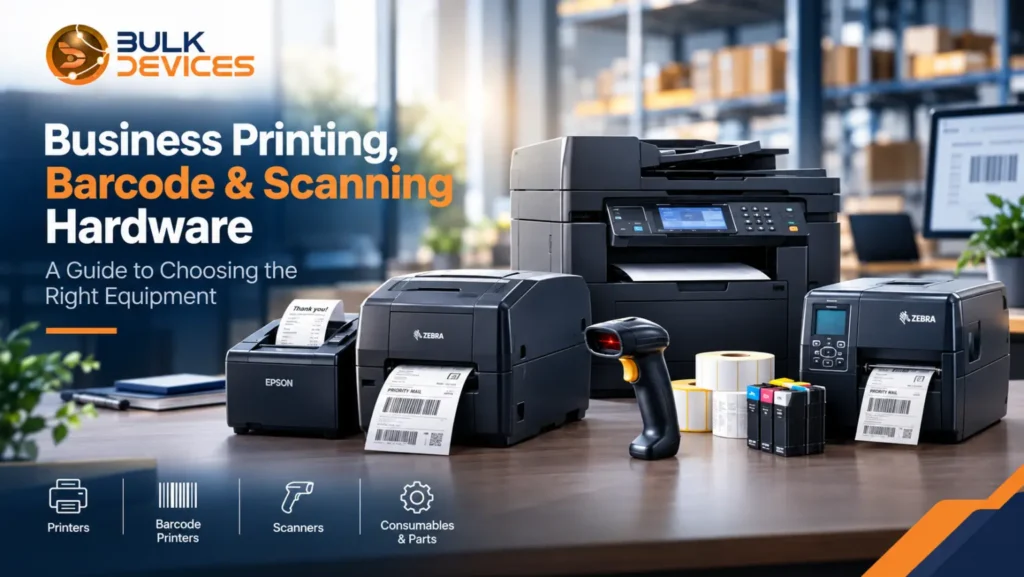
The right printer or scanner depends on what your business does most often. Thermal barcode printers are useful for shipping and stock labels, while receipt printers are designed for tills and POS systems. Barcode scanners help with stock, checkout, and QR code scanning. For documents, invoices, and general office work, an office or multifunction printer is usually more suitable. Before buying, check printing volume, connectivity, consumables, compatibility, and maintenance costs.
Introduction
Buying business printing hardware can be confusing when there are so many different machines to choose from. A warehouse may need something completely different from a retail counter or a small office. The easiest way to narrow things down is to start with the work the equipment needs to handle. Are you printing labels, scanning products, producing receipts, or dealing with everyday documents?
This guide looks at the main types of printers, scanners, and related equipment so you can compare them before making a purchase. You can also browse our full range of printers and scanners if you already know what type of equipment you need.
Thermal & Barcode Label Printers
Thermal barcode printers are made for businesses that need to produce labels regularly. They are commonly used for parcels, stock, product identification, and warehouse labelling. If your team is printing hundreds or even thousands of labels, using equipment designed specifically for that job makes more sense than relying on a standard office printer.
There are two main types: direct thermal and thermal transfer. Direct thermal printers work with heat-sensitive labels, so there is no ink or ribbon to replace. They are convenient for things such as shipping labels, especially when the label only needs to be used for a limited period. The downside is that the print can fade when exposed to heat, sunlight, or time.
Thermal transfer printers work slightly differently. They use a ribbon to transfer the image onto the label, producing a print that generally lasts much longer. This can be useful for product labels, equipment tags, or other information that needs to remain readable for months or years.
When looking at barcode printers, pay attention to print resolution, connection options, and expected daily use. DPI affects how clearly small text and barcodes are printed, while USB, Ethernet, or Bluetooth can make a difference depending on where the printer will be used. Zebra printers are widely associated with warehouse and labelling applications because they are designed for regular label printing.
If you are comparing thermal label printers, think about your future workload as well as your current one. A machine that handles today’s volume comfortably may become frustrating if your business starts shipping more orders.
Already looking for equipment for printing customer receipts? Have a look at our receipt printer options.
Receipt Printers
Receipt printers are designed for one simple purpose: producing short receipts quickly. They are usually found at shop counters, restaurants, ticket desks, and other places where customers need a printed receipt immediately after paying.
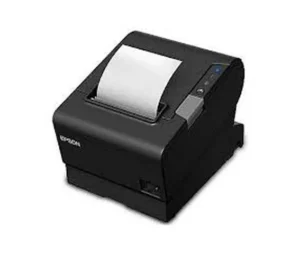
Speed is important here. During a busy period, staff cannot afford to wait around for a printer to finish a receipt. These machines are built to produce small print-outs quickly and repeatedly throughout the day.
Most receipt printers connect directly with a POS (point-of-sale) system. This allows sales information from the till or payment system to be sent to the printer automatically, without staff having to enter the same information again.
Epson receipt printers are one example of equipment used in these environments. When choosing a receipt printer, it is worth checking that it works with your existing POS software and connection setup.
It is also important not to use the wrong type of printer simply because it is available. A receipt printer is not designed for stock labels, while a larger label printer may be unnecessary if all you need is a small receipt after each transaction.
For businesses comparing different options, our full range of printers includes receipt printers alongside other printing equipment.
Barcode Scanners
Barcode scanners make it possible to quickly read the codes printed on products, parcels, shelves, tickets, or other items. They are useful anywhere staff need to identify products or retrieve information without typing it manually.
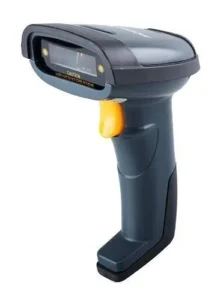
One of the main things to understand is 1D vs 2D scanning. A traditional 1D barcode is the familiar pattern of vertical lines found on many product labels. 2D scanners can read these as well as codes such as QR codes, giving businesses more flexibility.
This can be particularly useful in retail and customer-facing environments where QR codes are used for tickets, loyalty schemes, menus, or digital information.
You also have a choice between handheld and fixed-mount scanners. Handheld models are practical in warehouses because workers can carry them around while picking or checking stock. A fixed scanner can make more sense at a checkout or packing station where products are brought directly to the scanning point.
Honeywell barcode scanners are an example of scanners available for these types of applications. Before choosing one, consider the codes your business actually uses and where the scanner will be positioned.
You can explore the wider scanner section for different scanning equipment. It is also useful to keep spare supplies and accessories available, so our printer accessories and consumables section may be worth checking at the same time.
Office & Multifunction Printers
Office & multifunction printers are designed for the everyday paperwork most businesses still need. Contracts, invoices, reports, forms, meeting documents, and internal paperwork can all require regular printing.
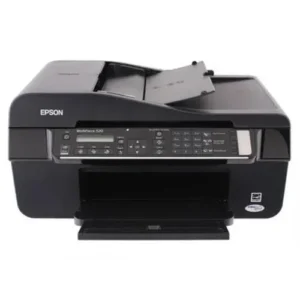
One of the first choices is laser vs inkjet printing. Laser printers use toner and are often a practical option for offices producing a large number of pages. They are built for regular document printing and can be a good fit when speed and volume matter.
Inkjet printers use liquid ink and can be useful for businesses that do not print huge quantities but still want good colour output. They can also have a lower initial purchase price, although the ongoing cost of ink should be considered.
Another useful specification is the printer’s duty cycle. This gives an indication of how much work the printer is designed to handle over a particular period. If an office regularly prints far beyond the machine’s intended workload, wear and maintenance problems can become more likely.
Multifunction printers can also be helpful where space is limited. Instead of having separate machines for printing, scanning, and copying, one unit can handle all three jobs.
For businesses with higher document-printing needs, you can explore our laser printers category to compare suitable options.
Printer Ink & Consumables
Choosing the printer is only part of the cost. Businesses also need to think about printer ink & consumables, because cartridges, toner, paper, and other supplies will need replacing as the equipment is used.
The basic distinction is toner vs ink cartridges. Toner is a fine powder used by laser printers, while ink cartridges contain liquid ink for inkjet machines. Which one you need depends on the type of printer you have.
It is worth checking the page yield when comparing cartridges. This tells you approximately how many pages a cartridge should produce. A cheaper cartridge is not necessarily the cheaper option if it needs replacing much sooner.
You should also check the exact printer model before ordering printer ink cartridges. Printer brands often have several cartridge ranges, and a cartridge made by the same manufacturer may still be incompatible with your particular machine.
Large-format equipment has its own requirements. For example, an HP DesignJet may use specific ink and consumables designed for technical drawings, plans, posters, and other large prints.
If you are looking for an ink-based printer, visit our inkjet printers category. You can also find toner cartridges in our consumables section and paper in our printer paper section.
Printer Replacement Parts
A printer that starts causing problems does not always need to be replaced. In many cases, printer replacement parts can deal with the problem and keep the existing machine running.
For example, repeated paper jams may be linked to worn rollers. Poor print quality can sometimes point towards a problem with the fuser assembly, particularly in a laser printer. Maintenance kits can also help when a machine has been used heavily, and several components are reaching the end of their expected service life.
The fuser is responsible for applying heat and pressure to bond toner to the paper. As it becomes worn, you may notice changes in print quality or other performance issues. Rollers can also become less effective as their surfaces wear down, making paper feeding less reliable.
Replacing a faulty component can be a more practical option than immediately buying another business printer unit. This is especially relevant when the printer itself still meets your needs, and the problem is limited to one replaceable part.
If your machine is showing signs of wear, you can check our pages for fuser, maintenance kits, and rollers before deciding whether replacement is necessary.
How to Choose the Right Equipment
Choosing printing equipment becomes much easier when you start with the actual job rather than the machine itself. A warehouse, retail shop, and office may all need printers, but their requirements can be completely different.
| Equipment Type | Best-Fit Use Case |
|---|---|
| Thermal barcode/label printer | Shipping labels, stock tagging, warehouse labelling |
| Receipt printer | Checkout, POS systems, fast short print-outs |
| Barcode scanner | Warehouse picking, retail checkout, ticket/QR scanning |
| Office / multifunction printer | Everyday documents, invoices, in-house printing |
| Large-format printer/plotter | Posters, plans, technical drawings |
Start with the application. If the main job is printing shipping or stock labels, look at thermal equipment. If the printer will sit beside a checkout, a receipt printer is likely to be more suitable. For contracts and office documents, an office printer makes more sense.
Then check compatibility. Your labels, paper, cartridges, POS software, computers, and other systems all need to work with the equipment you choose.
Your expected workload matters too. Think about how many pages or labels you print during a normal day and what might happen if that volume increases. This can help you decide between direct thermal and thermal transfer equipment, or between an inkjet and laser printer.
Do not overlook connectivity either. USB can be perfectly adequate for a single workstation, while Ethernet or Wi-Fi may be more useful when several people need access to the same printer. Bluetooth can also be convenient for certain mobile or counter-based setups.
Finally, consider maintenance needs. Look beyond the purchase price and think about cartridges, ribbons, labels, replacement parts, servicing, and general upkeep. These ongoing costs can make a noticeable difference over the life of the equipment.
For businesses that occasionally need to produce plans, posters, or technical drawings, our plotters category is also worth exploring.
Conclusion
There is no single piece of business printing hardware that works equally well for every business. The right choice depends on what you need to print or scan and how often you need to do it.
A retail counter may need a fast receipt printer, while a warehouse could need both a thermal label printer and barcode scanners. An office producing contracts and reports will have different requirements again.
Once you know the main job, it becomes much easier to narrow down the options. From there, look at compatibility, connectivity, running costs, consumables, and maintenance before making your final choice.
You can explore our scanner, fax, and copier range to compare these categories with the other equipment available.
FAQs
What type of printer is best for a business?
It depends on what you need to print. Offices that produce lots of documents may prefer laser or multifunction printers, while shops often need receipt printers and warehouses may need thermal barcode printers. The amount and type of printing you do should guide the choice.
What is the difference between a thermal printer and a regular printer?
A thermal printer creates an image using heat. Direct thermal models use heat-sensitive paper, while thermal transfer models use a ribbon. Regular office printers normally use ink or toner and are better suited to full-page documents.
What should I consider when choosing a barcode printer?
Look at your daily label volume, the type of labels you use, how long the printed information needs to remain readable, and the connections available on your system. These points can help you decide which printer is suitable for your setup.
What is the difference between direct thermal and thermal transfer printing?
Direct thermal printing uses heat-sensitive material and does not need a ribbon. It is useful for labels that do not need to last for years. Thermal transfer printing uses a ribbon and produces a more durable print for applications where labels need to remain readable for longer.
When should a printer part be replaced instead of replacing the entire printer?
If the printer is otherwise working well but has problems such as paper jams or poor print quality, a replaceable component may be responsible. Parts such as fuser assemblies and rollers can sometimes solve the issue without replacing the complete machine.
How do I choose the correct ink cartridge for my printer?
Check the exact printer model before ordering a cartridge. The brand alone is not enough because different models can use different cartridges. It is also useful to compare page yield so you can get a better idea of the cartridge’s actual running cost.