
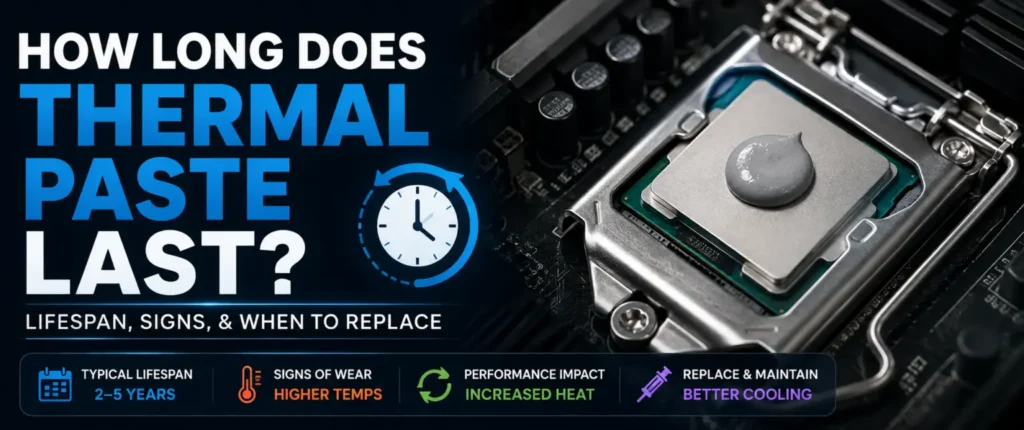
A CPU or GPU heatsink, no matter how flat it looks, has small microscopic spaces between the heatsink and the CPU/GPU. Metal surfaces are not necessarily smooth, and the gaps trap air. Air is a bad conductor of heat; it’s a very thin insulator in the spot you don’t want it.
Thermal paste is used to fill those gaps and provides a leveling surface for heat to flow from the chip to the cooler. If it is not applied, or is used up and dried, it will cause the heat to remain nearer the processor and not dissipate properly.
That is why temperatures gradually increase with the age of paste. So it’s not the CPU slowing down – it’s the contact between the CPU and the cooler that is deteriorating. Imagine a bridge, but it has cracks in it. The heat still has to cross the bridge, but not as efficiently.
| Component | Role |
|---|---|
| CPU/GPU die | Generates heat |
| Thermal paste | Fills microscopic gaps, transfers heat |
| Heatsink/cooler | Absorbs and disperses heat |
| Fans/liquid loop | Removes heat from the system |
How Long Does Thermal Paste Last?
The life of thermal paste is influenced by the type of paste used and the manner in which the system is used. The following is a practical breakdown of the types of pastes used.
Most coolers come with a standard thermal paste which can last for 2–3 years, after which it begins to dry and crack. This is okay for builds that need to be built quickly and don’t need to be kept around for long.
Premium thermal paste — the kind bought separately from well-reviewed brands rather than what ships in the box — typically holds up for 3–5 years, depending on how harshly the system is used.”
Liquid metal compounds may perform longer than standard paste, but can also damage the surfaces that they contact over time if they are not used carefully, particularly under aluminum.
The paste that is used in factory-built PCs and laptops is typically not as good and might need to be replaced earlier, as early as 1–2 years if used heavily.
| Paste Type | Typical Lifespan |
|---|---|
| Factory-applied (stock) | 1–2 years |
| Standard thermal paste | 2–3 years |
| Premium thermal paste | 3–5 years |
| Liquid metal | 3–7+ years (with care) |
Signs It’s Time to Replace Thermal Paste
No point in speculation! Your PC usually tells you when thermal paste is drying out. Here are some things to look out for.
Higher CPU temperatures: The first sign is likely to be higher CPU temperatures than you recall previously, even when performing regular activities. Where idle temps used to be around 35°C, they are now closer to 50°C; something has changed.
Thermal throttling: This is when the CPU or GPU will automatically lower its speed to ensure it does not overheat, and it is noticeable as performance dropping off during intensive tasks.
Loud, constantly spinning fans: Another symptom is the intensity of the fans, which can be heard spinning constantly. The harder the system has to work to cool the chip, the more the fans will ramp up.
Random shutdowns or crashes under load can point to overheating protection kicking in.
Lower gaming performance, especially frame drops during long sessions, often lines up with paste that’s past its prime.
Quick checklist:
- Idle temps noticeably higher than before
- Fans louder than usual under light load
- Frame drops during extended gaming
- Random restarts during heavy tasks
- CPU/GPU hitting throttle temperatures quickly
How Often Should You Replace Thermal Paste?
This is not an easy answer because it depends on the use of the machine. Playing games for long periods of time multiple times a week puts more thermal stress on the paste than browsing the web and e-mailing.
Every 2-3 years, gaming PCs need to be evaluated in general, particularly when temps get off. Office computers that are lightly used may last for 4-5 years without any problems.
Rendering or heavy multitasking workstations should be inspected every 2 years. Laptops aren’t as straightforward, as they typically require maintenance every 2-3 years because they have limited cooling options. Servers are 24/7 systems and, for this reason, should be inspected annually by a professional.
| System Type | Recommended Check Interval |
|---|---|
| Gaming PC | 2–3 years |
| Office PC | 4–5 years |
| Workstation | 2 years |
| Laptop | 2–3 years |
| Server (24/7 use) | 1 year |
CPU vs GPU Thermal Paste Lifespan
If you have noticed, CPU thermal paste tends to wear out a bit sooner than GPU thermal paste, and the reason for this is that CPUs are prone to more temperature fluctuations, particularly in day-to-day operations with multiple tasks, background programs, and various workloads.
GPU paste, however, typically only warms up considerably during gameplay or rendering, particularly if the user is playing or rendering for extended periods. However, GPUs that can play intensive games for hours on end can also deteriorate the paste at a comparable rate.
Manufactured coolers also typically have a better quality of paste on the GPUs they’re created for than some cheaper CPU coolers, which is part of why GPUs don’t need replacing as often.
When maintaining an LGA 1700 system, CPU cooler performance and thermal paste condition can both affect operating temperatures.
Does Replacing Thermal Paste Lower Temperatures?
This is where expectations matter. When the paste is just a bit “old”, a change in paste is typically a 2–5°C improvement. Not dramatic, but noticeable when loaded for a long period of time.
If the paste is moderately dried, expect a 5–8°C drop. If it’s severely dried or cracked, improvements of 8–10°C or more are common — and in extreme cases, like a system that hasn’t been opened in 5+ years, drops beyond 10°C aren’t unusual.
However, it’s important to have realistic expectations. No worries about the fresh paste becoming cold if it’s running too hot on the chip; it simply takes the chip back to its normal state. If they are still high after replacing it, it may be a dust issue, a faulty fan, or a smaller cooler.
| Paste Condition | Expected Temp Improvement |
|---|---|
| Slightly aged | 2–5°C |
| Moderately dried | 5–8°C |
| Severely dried/cracked | 8–10°C+ |
Laptop Thermal Paste: Is It Different?
The thermal paste for a laptop is under a more stringent environment than that of a desktop thermal paste. The components in the laptop are less easily spread out to dissipate heat, and there is less air flowing around the components.
This more confined space will also cause heat to increase more rapidly and cause the paste to deteriorate slightly quicker than in a large desktop case. Unfortunately, changing the laptop paste isn’t easy either, as it requires removing the bottom panel, disconnecting the fan, and carefully lifting the heatsink, which isn’t easy to do on all laptops.
So there is the warranty concern as well. Some laptop manufacturers may invalidate the warranty if the thermal paste is replaced, so you may need to check their terms and conditions before doing it yourself.
Keeping your graphics card cool is equally important, especially when comparing GPUs such as the RTX 3080 vs RTX 4070, where power consumption and cooling requirements can differ significantly.
Common Mistakes When Applying Thermal Paste
Even good paste won’t help if it’s applied poorly. Here are the most frequent mistakes.
Using too much paste is extremely common. People assume more coverage means better cooling, but excess paste can squeeze out the sides and even short-circuit components on the motherboard.
Using too little leaves gaps uncovered, which defeats the purpose entirely and can actually cause hot spots.
Spreading it incorrectly, like smearing it unevenly with a card, often traps air bubbles. A small dot or line in the center, allowed to spread naturally under cooler pressure, usually works best.
Reusing old paste after removing a cooler is a mistake too — once it’s disturbed, it should be cleaned off and reapplied fresh.
Mixing different compounds, like combining leftover paste from two different brands, can sometimes cause a chemical reaction that hurts performance instead of helping it.
Thermal Paste vs Liquid Metal
Liquid metal is a whole other ballgame. It is formulated to be made of metal alloys rather than silicone compounds, and conducts heat much better than normal paste.
The price of that is risk. Liquid metal conducts electricity, so if it spills onto the motherboard, it can result in major damage. It is also not safe to be used on bare aluminum heatsinks, as it will corrode the metal over time.
Liquid metal may last longer than paste, but it can “pump out” or break down over the years and may need reapplication even though it seems to last longer.
| Factor | Thermal Paste | Liquid Metal |
|---|---|---|
| Performance | Good | Excellent |
| Conductivity | Lower | Very high |
| Risk | Low | High (electrically conductive) |
| Lifespan | 2–5 years | 3–7 years |
| Ease of Application | Beginner-friendly | Requires care/experience |
Which Thermal Paste Should You Buy?
When you’re on the verge of replacement, here’s a way to make the decision by category rather than looking for the “best” product, because it is not the same product every time, and the availability or pricing may change.
Best Overall: A mid-to-high grade non-conductive paste that has good reviews for long-term stability.
Best Budget: A good basic compound for all your everyday use, and it won’t break the bank.
Best for Gaming: a paste suitable for prolonged high temperatures and numerous heat cycles.
Best for Overclocking — a high-conductivity paste that is capable of heavy loads for long periods of time.
Best for Laptops — thinner formulation; suitable for low-clearance areas.
Before purchasing, be sure to look at the latest reviews and benchmarks, as the formulas and rankings are subject to change from year to year.
Common Questions Related To Thermal Paste
How long does thermal paste last?
The lifespan of the thermal paste varies from 3–5 years depending on usage and quality. The paste that is cheaper or applied during manufacturing might need to be replaced closer to the 2-year mark.
How often should I replace thermal paste?
It varies according to usage. Gaming PCs require a check-up every 2-3 years; office computers that are lightly used can last for up to 4-5 years.
Does thermal paste dry out?
Yes. Thermal paste has a tendency to dry up or become crumbly over time, which reduces its ability to transfer heat effectively.
Will replacing thermal paste reduce CPU temperatures?
Usually, yes. Expect a 2–5°C drop for mildly aged paste, and up to 10°C or more if the old paste was severely dried out.
Can thermal paste last 10 years?
It’s uncommon, but some high-quality pastes in lightly used systems can technically last that long. Performance will likely have degraded well before then, though.
Should I replace thermal paste on my laptop?
Replacement may be beneficial if there is a noticeable increase in temperature, and the laptop is many years old. Simply look at the warranty conditions first because opening the case could lead to loss of the warranty.
Is liquid metal better than thermal paste?
Liquid metal offers better raw heat conductivity, but it’s riskier to apply due to its electrical conductivity and potential to damage aluminum surfaces.
Conclusion
Then the question is, how long does thermal paste last? Generally, it lasts 3-5 years (depending on the quality of the paste and the intensity of your system’s operation). It may cause more wear and tear on gaming PCs and workstations, but it might not be a problem on office machines.
The key isn’t changing the paste on a timetable; it’s seeing your temps and responding to the real indicators of trouble, such as throttling, increased fan noise, or higher idle temps. Do not replace it if only a few years have elapsed, unless your system requires it.