
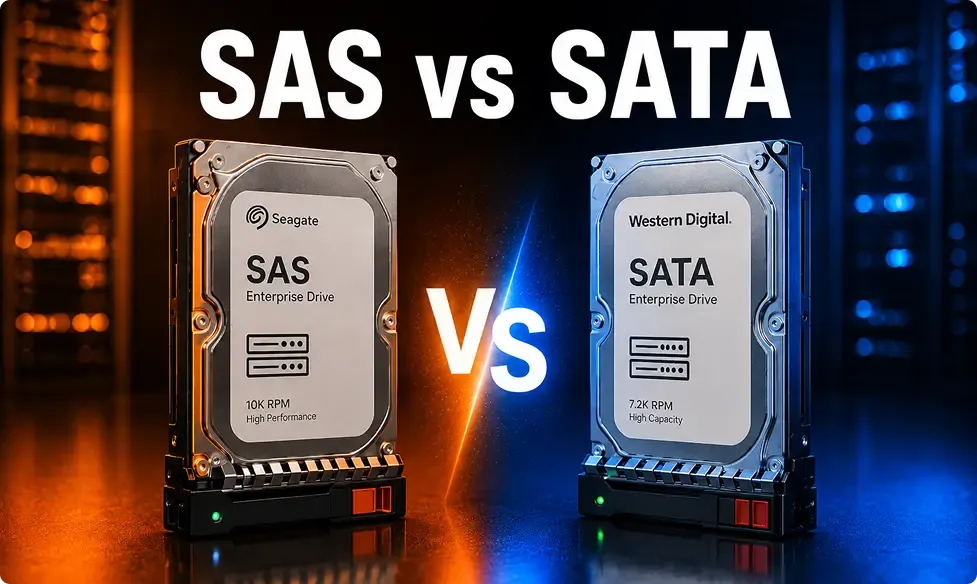
If you’re speccing out a server build or expanding storage, the SAS vs SATA hard drive decision probably feels like it should be simple, but it rarely is. SAS costs more and performs better under heavy, continuous load. SATA costs less and gives you more raw capacity per dollar. The right choice isn’t about brand preference; it’s entirely about what your workload actually demands.
The 30-Second Answer
Do I need SAS or SATA for my server? Here’s the short version:
- Choose SAS if: your server runs databases, virtualization, or any workload that’s hitting the disk constantly and can’t afford latency.
- Choose SATA if: you need high-capacity, low-cost storage for backups, archives, surveillance footage, or media servers where speed isn’t the priority.
Everything below explains why and helps you avoid over-buying in either direction.
What Is SAS (Serial Attached SCSI)?
SAS is a serial interface designed for enterprise use and servers. This is not a consumer technology; it’s built from scratch to support high demand, long-running workloads.
A few of the key features to be aware of:
- Connectivity: Up to 12Gb/s
- RPM range: Typically 10,000–15,000 RPM
- MTBF: Enterprise-grade drives – typically 1.2 million hours or more.
- Full–duplex: Transmits and receives data simultaneously — this is what gives SAS its real-world advantage in sas vs sata speed, not just the raw interface number.
- Hot-Swap Support: Yes (standard)
- Cost: Higher per unit than SATA
SAS is the default choice for RAID arrays in performance-critical environments. If you’re running anything that hammers storage constantly, it’s where you want to be. Shop SAS server hard drives to see current stock.
What Is SATA (Serial ATA)?
SATA is a much simpler bus interface and well suited to consumer hardware and entry-level server builds for a reason. It is cheap, readily available, and has huge capacity per drive.
What you will work with:
- Operating frequency: Up to 6Gb/s
- RPM range: Typically 5,400–7,200 RPM
- Max capacity: 20TB+ per drive, with larger options continuing to appear in the market.
- Data transfer: Half-duplex — it can send or receive data, but not simultaneously (as opposed to SAS’ full-duplex model).
- Hot-swap support: Depends on the backplane and controller
- Cost per TB: Much cheaper than SAS
SATA drives work very well for sequential read/write operations, which are suitable for tasks such as backup, cold storage, archiving, and streaming media. They’re not designed to handle the kind of random, concurrent I/O that enterprise databases demand throughout the day.. If capacity is more your priority, then shop SATA server hard drives.
SAS vs SATA — Side-by-Side Comparison
Before you finalize any order, SAS vs SATA reliability is usually the deciding factor for IT teams running critical infrastructure. This table cuts through the noise:
| Feature | SAS | SATA |
|---|---|---|
| Interface Speed | Up to 12Gb/s | Up to 6Gb/s |
| RPM Range | 10,000–15,000 RPM | 5,400–7,200 RPM |
| MTBF / Reliability | 1.2M+ hours | 700K–1M hours (varies) |
| Hot-Swap Support | Standard | Controller/backplane dependent |
| Typical Capacity Ceiling | ~4–8TB (enterprise focus) | 20TB+ |
| Cost Per TB | Higher | Lower |
| Best Workload | Databases, VMs, RAID, high-IOPS | Backups, archives, media, file storage |
One honest note here: don’t let the MTBF gap scare you away from SATA entirely. For workloads where drives aren’t being pushed hard all day, the reliability difference is much less dramatic in practice.
Can You Mix SAS and SATA in the Same Server?
Yes and it’s actually a common setup. Many production environments store their OS and often the data they use most often on the SAS drive to speed operations up while using SATA drives for bulk capacity storage on the same server.
The real caveat:you can’t mix SAS and SATA drives in the same RAID virtual disk or array. You can use both in the same chassis, but they need to stay on separate arrays.
The good news is that most modern server platforms handle this fine. Dell PowerEdge and HPE ProLiant backplanes typically support both interfaces, so you’re not boxed in. If you’re shopping for compatible hard drive enclosures and RAID-ready hardware, make sure the backplane explicitly lists dual-interface support before you buy.
Can I use a SATA drive on a SAS server? Yes — most SAS controllers are backward compatible with SATA drives. But SATA controllers won’t recognize SAS drives, so compatibility only works one way.
Buying SAS and SATA Drives in Bulk (New or Refurbished)
Here’s where a lot of IT buyers leave money on the table. New enterprise drives will cost more and in many cases it is not required to pay for them for many workloads.
Manufacturers like Seagate Exos, WD Ultrastar and Toshiba MG series can provide refurbished Enterprise drives that can be tested and refurbished at 30-50% of its original price and can still have the same reliability without any compromise.
Furthermore, there are higher unit savings at volume. Bulk pricing can be a lot different if ordering a 20, 50, 100+ quantity compared to ordering in smaller quantities through a retail channel, for a rack buildout or refresh.
One cautionary note: don’t buy too many SAS drives as they are available. It is one of the most common over spends we see on bulk orders. Teams designate a Storage Access Schedule (SAS) for archiving, and when they receive it, they realize that SATA is just fine, and they ask themselves, why is my storage budget soaring? Match up the drive, not the workload.
Feel like discussing numbers? Get bulk pricing on SAS and SATA drives—let’s talk about the best combination for you.
Which Drive Should You Buy?
Most buyers end up getting bogged down in spec sheets, when the question is so simple: what will this drive be used for? A drive which is ideal for a database server may be too much for a backup box and vice versa.
Instead of going through specs again, here’s a quick way to match your use case to the right drive. After you learn what the server is for, the decision is usually an easy one.
| If You Need | Recommended |
|---|---|
| Database Server | SAS |
| Virtual Machines | SAS |
| RAID Storage | SAS |
| Backup Storage | SATA |
| NAS | SATA |
| Media Server | SATA |
SAS wins when your server is handling constant read/write requests at once, like a database or a virtualization host. SATA makes more sense when you just need a lot of storage that doesn’t get hammered all day, like backups or media files.
SAS vs SATA for Different Workloads
Details are not all that it’s about. The real question is about the nature of the workload in the day-to-day operations, the number of requests that will be issued to the disk at any given time, whether the accesses will be random or sequential, and how much data will actually move.
The two servers that are “storage” can have completely different requirements. A database server could be reading hundreds of little random blocks per second, and a media server could be streaming a large file linearly. This is precisely the reason why the identical push and pull is not suitable for both.
| Workload | Best Choice | Why |
|---|---|---|
| SQL Databases | SAS | Handles many simultaneous queries without slowing down |
| VMware / Hyper-V | SAS | Multiple VMs hitting the disk at once need low latency |
| NAS | SATA | Mostly sequential access, storage capacity matters more than speed |
| Backup Server | SATA | Large, mostly one-time writes; cost per TB matters most |
| File Server | SATA | Light, steady traffic doesn't need enterprise-grade IOPS |
| Media Server | SATA | Streaming is sequential, not random, so SATA keeps up fine |
| CCTV Storage | SATA | Continuous writing, not much random access, so SATA is enough |
| Home Lab | SATA | Lower cost lets you experiment without enterprise pricing |
The pattern here is simple. The beauty of SAS is that it is designed for random, concurrent access, which is the same type of access that is provided by VMs and databases. SATA is built for steady, sequential transfers of large amounts of data — it’s not designed to handle many random requests at once. Choosing by workload, rather than brand, is the real way to save money and avoid problems later on.
Common SAS vs SATA Buying Mistakes
Even seasoned buyers make mistakes here. A few patterns keep repeating themselves.
Buying SAS just because it sounds faster. If your workload isn’t doing much random I/O, that extra speed goes to waste. If the server is not using a significant amount of random I/O, why are you paying for it?
Using SATA for high-IOPS enterprise tasks. High-I/O workloads need SAS — a database or VM host running on SATA will bottleneck no matter how much RAM or CPU you throw at it.
Ignoring controller compatibility. Some RAID controllers or backplanes don’t support both interfaces. Don’t assume; always check before purchasing.
Buying based only on RPM. The spin speed is far from being the only factor of interest; a 10K SAS drive and 7200 RPM SATA drive are not actually comparable at all.
Choosing the cheapest drive without checking reliability. Enterprise drives carry better MTBF ratings and warranties for a reason. Cutting corners here usually costs more later in downtime.
Real-World Upgrade Examples
Scenario 1: Upgrading an SQL Server. Workloads generate constant random reads and writes — SAS handles that queuing without slowing down.
Scenario 2: Building a NAS Recommended: SATA. A NAS is primarily about capacity and reliable access, NOT raw speed. SATA provides you with increased storage for the money; that’s typically your biggest requirement on a NAS build.
Scenario 3: Create a Backup Server Recommended: SATA. Backups are large, sequential writes, scheduled for a specific time. When the drive is only to store data reliably, there’s no need to pay for SAS-level performance.
Scenario 4:Running VMware. Recommended: SAS. Multiple VMs competing for disk access need low latency and high IOPS — SAS keeps things responsive even when several are running at once.
Quick Buying Guide
Having read this far, it’s clear that SAS and SATA aren’t “better or worse”; they’re just suited for different tasks. This final table is designed to help you make your decision quickly – in seconds – without having to scroll all the way back through the entire guide.
As a last measure before ordering the drive, use it as a gut check.
| If You Want... | Choose |
|---|---|
| Lowest Cost | SATA |
| Highest Performance | SAS |
| Enterprise Server | SAS |
| Backup Storage | SATA |
| Home NAS | SATA |
| Virtualization | SAS |
| Media Storage | SATA |
| Large Archive | SATA |
The best drive ultimately isn’t the one that has the best objective merits. It’s a matter of which one fits your workload. That’s the real logic behind picking a drive — it’s not about what sounds more powerful, it’s about what your server actually does.
Common Questions About SAS vs SATA
Is SAS faster than SATA?
Yes. The maximum speed of SAS is 12Gb/s, whereas SATA is limited to 6Gb/s, but the more important difference in the real-world is full-duplex operation, meaning that SAS can send and receive data simultaneously. SATA can’t. But that gap becomes more significant when there are concurrent read/ write loads.
What’s better for RAID — SAS or SATA?
SAS vs SATA — which is better for RAID?
If it’s performance critical RAID (databases, virtual machines, application servers), then SAS is the better option. SATA is suitable for RAID parties that are configured for capacity and sequential access backups, archival and media. Simply store them on different arrays.
Do I need SAS or SATA for my server?
It comes down to your workload. Constant random access — databases, VMs, transactional applications — points to SAS. Large sequential storage where access patterns are predictable, and latency isn’t critical points to SATA. When in doubt, map the workload first, then pick the drive.
What’s the difference between 10K and 15K RPM SAS drives?
10K RPM SAS drives are the more common choice — they balance performance and cost well for most enterprise workloads. 15K RPM drives offer lower latency and higher IOPS, but they run hotter, consume more power, and cost more. They’re worth it for extremely latency-sensitive applications, but for most environments, 10K covers the need without the overhead.
The Bottom Line
Match the drive to the job. SAS is required for high demand, random access workloads. SATA is required for high capacity, sequential storage. The real budget efficiency is in getting that decision right – particularly at scale. If you’re purchasing enterprise drives in quantity, request a bulk quote on enterprise hard drives and let’s work out the best SAS vs SATA hard drive configuration together.